User access review module in SelfService
When a user logs into the Self-Service portal, the User Access Review module will display a count of campaigns that require review. The count represents the number of campaigns that need to be reviewed. A campaign is counted if the reviewer has not yet completed the review process or if the review is only partially completed.
Let's say a user has a total of 30 campaigns with multiple reviewers. Here's the breakdown:
- 10 campaigns are awaiting review (review has not started).
- 5 campaigns have completed the reviewer part.
- 6 campaigns have partially completed the reviewer part.
- 4 campaigns are manually completed (no review needed).
- 5 campaigns have expired (no review needed).
In this case, the total count displayed above the module icon would be 16 because only the campaigns that need to be reviewed (i.e., awaiting review or partially completed) are counted.
User Access Review Module Entitlement view
The view items descriptions is given below.
- Name. The name of the entitlement.
- Entitlement type. The type of entitlement.
- Create date. The date the entitlement was created.
- Description. A brief description of the entitlement.
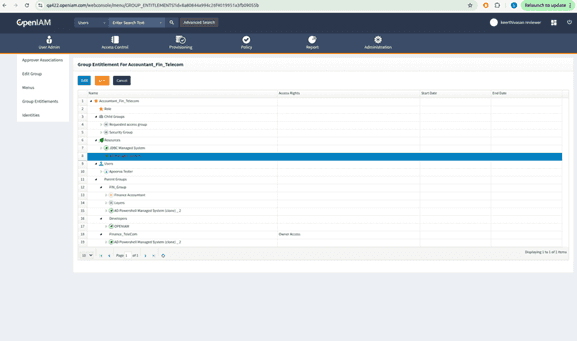
- Approvers. The list of approvers associated with the entitlement.
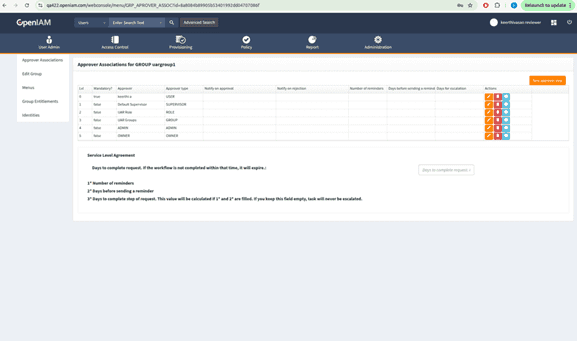
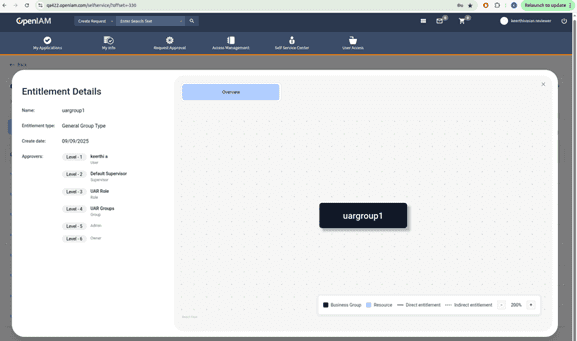
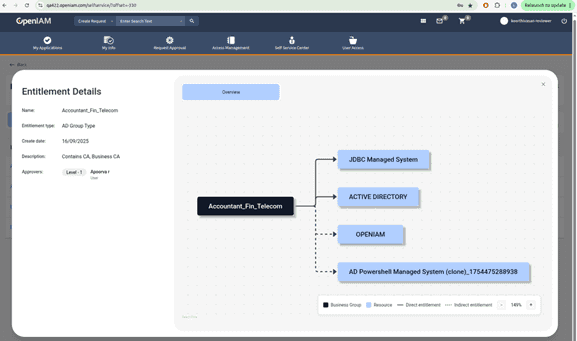
- Canva. As outlined in Canva, it will display a graph connecting the entitlement to its associated resources. When a parent group links a resource to an entitlement, it is classified as an indirect entitlement. If a resource is directly linked to the entitlement, it is considered a direct entitlement.
Completion percentage calculation
The completion percentage is calculated based on the number of user access sets that have been fully reviewed by all reviewers.
A user’s access set contributes to the completion percentage only after all assigned accesses are reviewed by every reviewer. Partial reviews do not affect the percentage.
Scenario 1: There are three user access sets:
- One set with 3 accesses.
- One set with 2 accesses.
- One set with 5 accesses.
Review status:
- 2-access set: fully reviewed by all reviewers → counted.
- 3-access set: partially reviewed (only first reviewer completed) → not counted.
- 5-access set: minimally reviewed (first reviewer completed 3 of 5; second reviewer not started) → not counted.
Completion percentage: 20%
Scenario 2: The same three access sets
- 3 accesses
- 2 accesses
- 5 accesses
Review status:
- 2-access set: fully reviewed → counted.
- 3-access set: partially reviewed (first reviewer completed; second reviewer pending) → not counted.
- 5-access set: partially reviewed (first reviewer completed; second reviewer reviewed 3 of 5) → not counted.
Completion percentage: 20%
Scenario 3: Again, access sets of 3, 2, and 5 accesses.
Review status:
- 2-access set: fully reviewed → counted.
- 3-access set: partially reviewed (first reviewer completed; second reviewer completed 2 of 3) → not counted.
- 5-access set: partially reviewed (first reviewer completed; second reviewer completed 3 of 5) → not counted.
Completion percentage: 20%
- Completion percentage is calculated based on the User View tab.
- A user’s access set is counted only after all reviewers have completed reviews on all assigned accesses.
- No partial credit is given for incomplete reviews.