FIDO-2 authentication
FIDO2 (Fast Identity Online 2) is an authentication standard developed by the FIDO Alliance and the World Wide Web Consortium (W3C) to provide strong, passwordless, and phishing-resistant authentication for web applications and online services. In case this is the type of authentication you use in your instance, OpenIAM allows configuring it, as described in the instruction below.
FIDO-2 can only be used over HTTPS.
Manage authenticators
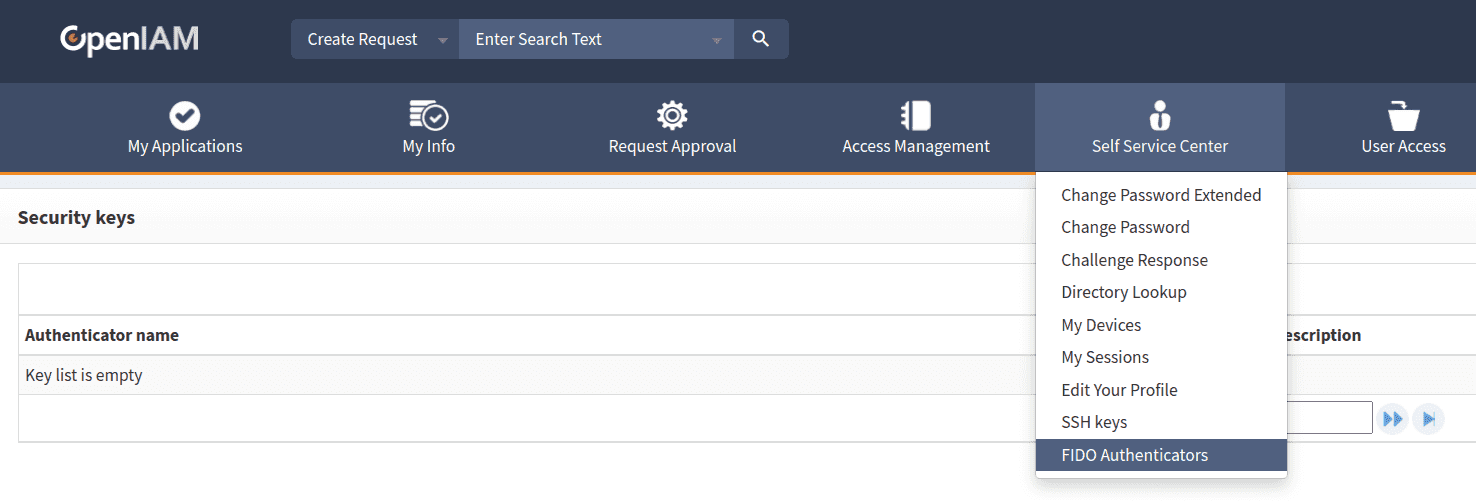
Add a new authenticator. You can rename the old one, delete it or create a new one using Self Service Center on SelfService, as shown below.
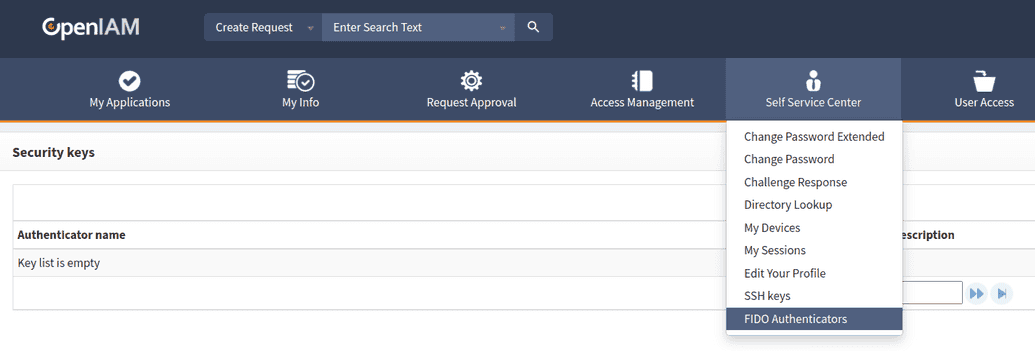
Add a new key.

Touch the
sshkey after browser message appears, as shown below.
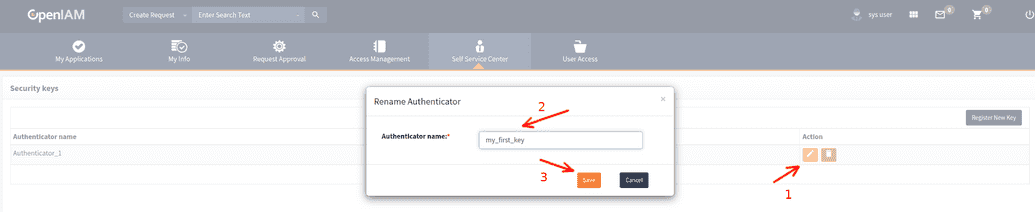
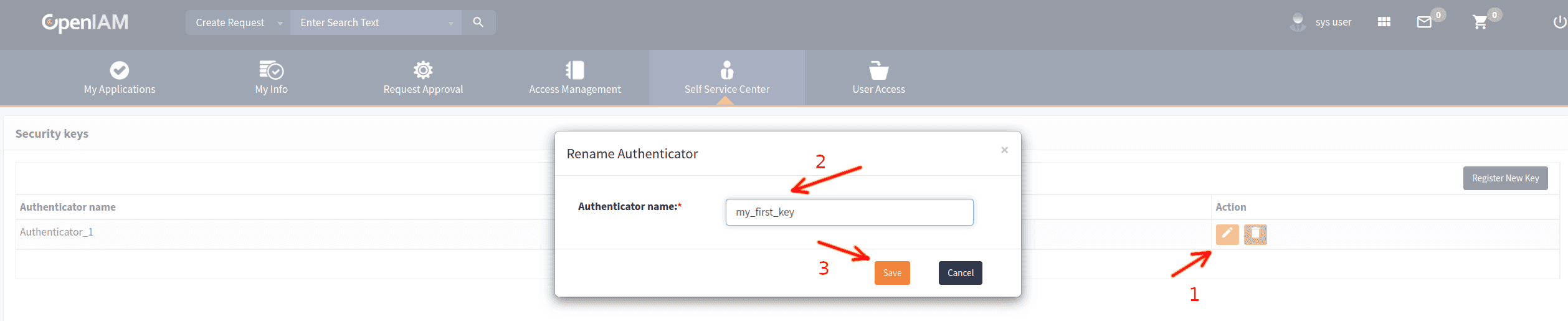
Rename the key.


Configure OpenIAM to use FIDO authentication
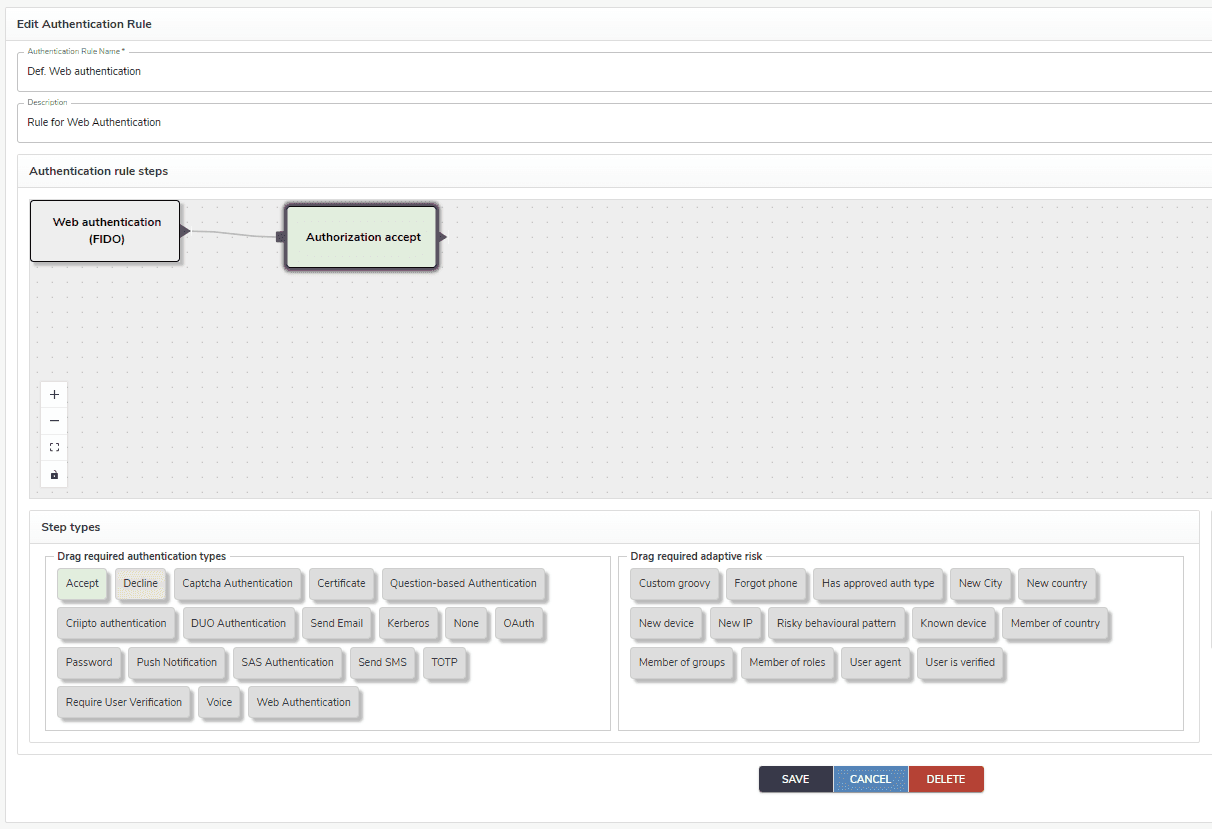
Use the default authentication rule in Content provider.
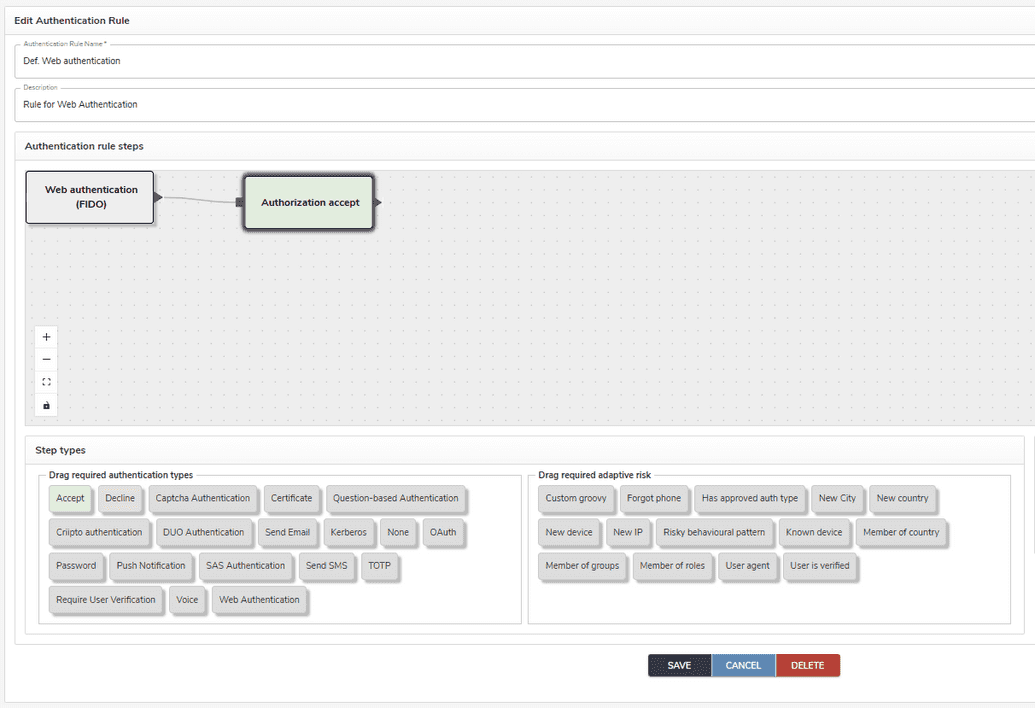
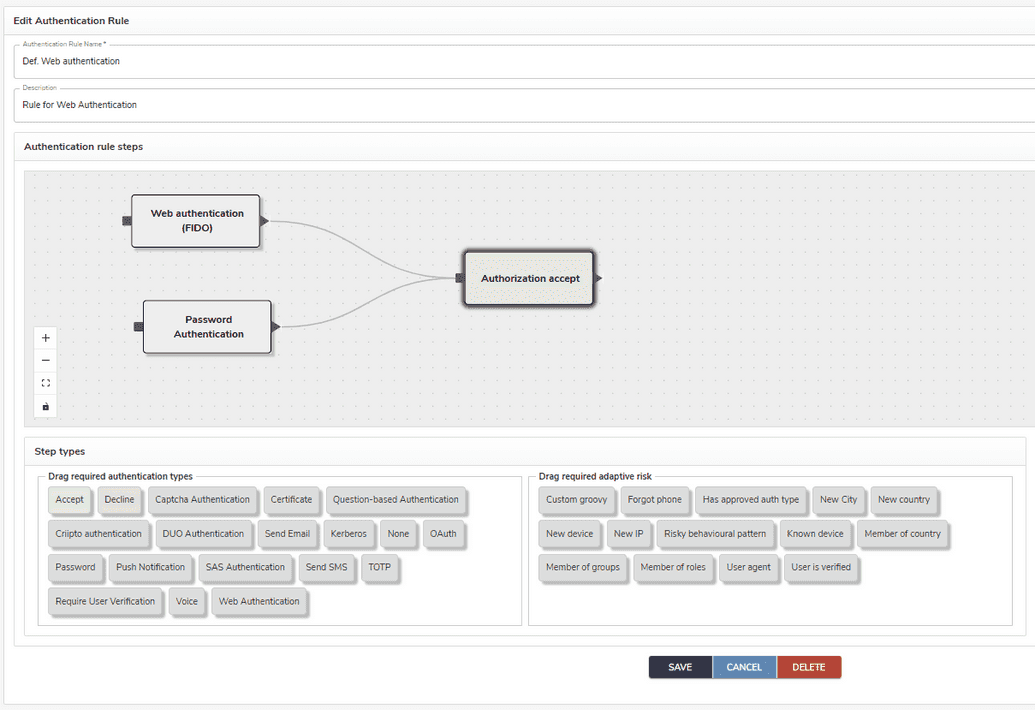
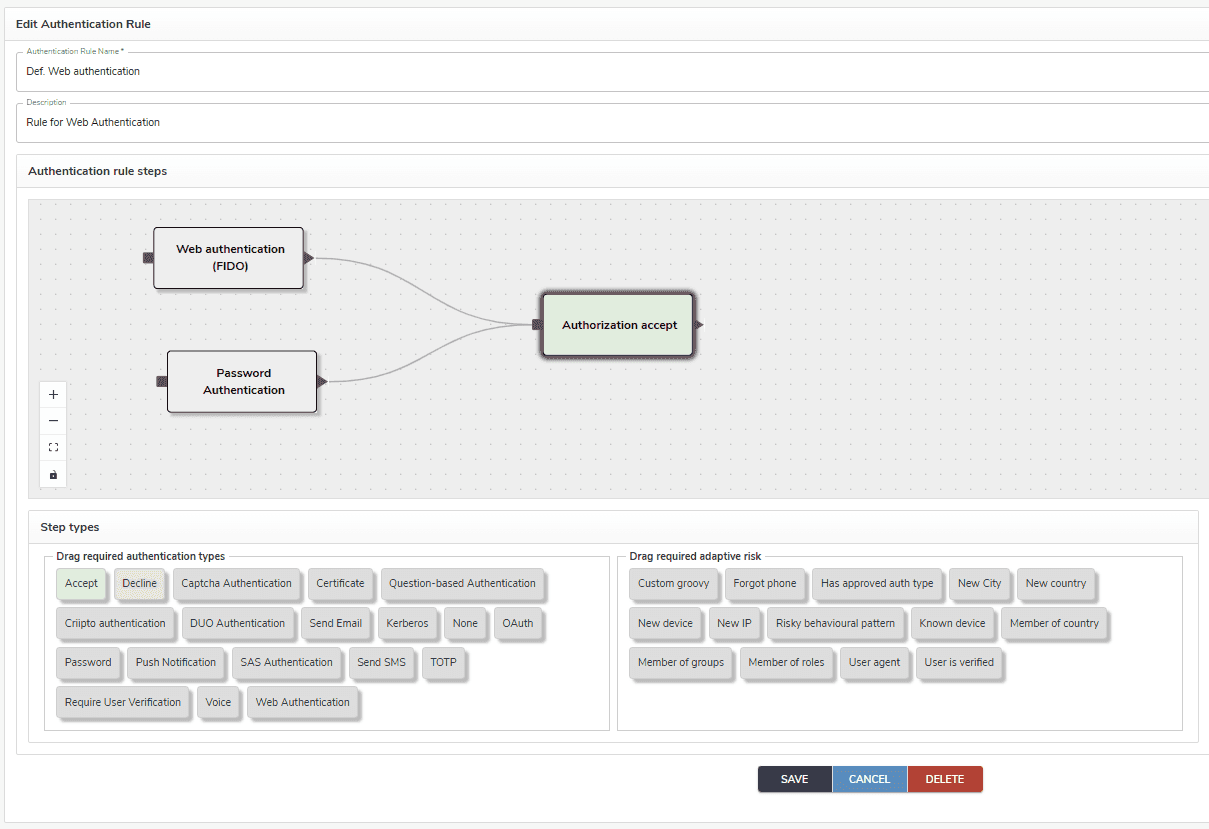
Another option is to create new custom authentication rules, as shown in the example below.
Login with FIDO authenticator
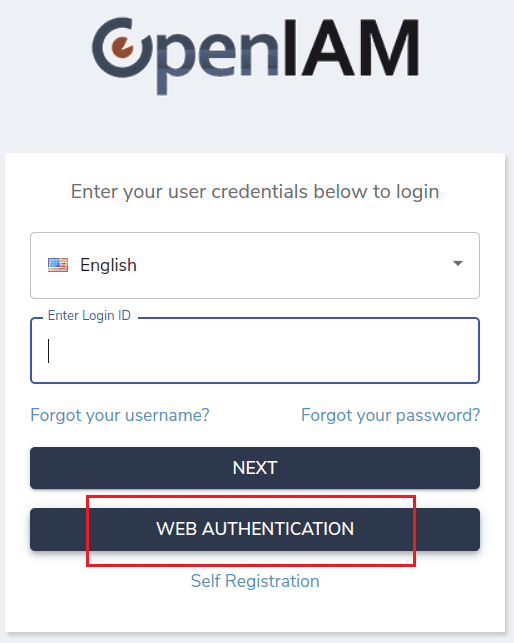
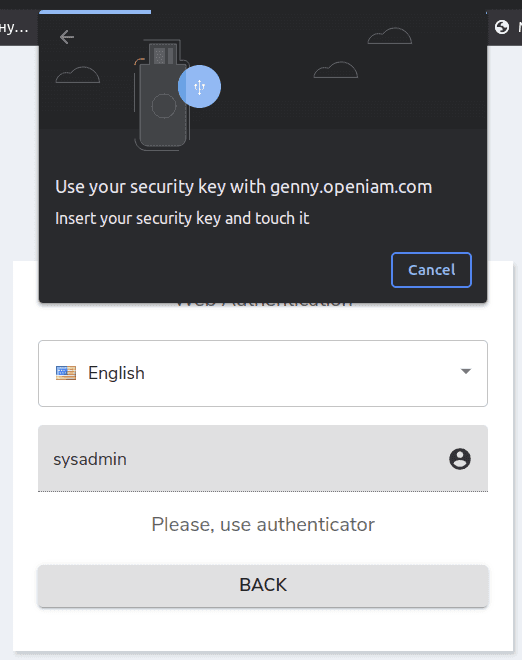
Some API for FIDO-2 authentication
FIDO-2 authentication type also allows using RESTful API.
- Pre-registration request.
/idp/reg/preregister POSTrequest :{username : login,displayName : displayName}response :{rp: data.rp,user: {id: decodeBase64url(data..id),name: data..name,displayName: data..displayName,icon: data..icon},challenge: decodeBase64url(data.challenge),pubKeyCredParams: data.pubKeyCredParams,timeout: data.timeout,excludeCredentials: data.excludeCredentials,// {// type: credential.type,// id: decodeBase64url(credential.id),// transports: credential.transports// }authenticatorSelection: data.authenticatorSelection,attestation: data.attestation,extensions: data.extensions}
- Registration request.
/idp/reg/register POSTrequest:{name : authenticatorName,id = credential.id;type = credential.type;rawId = encodeBase64url(new Uint8Array(publicKeyCredential.rawId));clientData = encodeBase64url(new Uint8Array(clientData));attestationObject = encodeBase64url(new Uint8Array(attestationObject));clientExtensionsJSON = clientExtensionsJSON;}response:{successMessage : "Authenticator saved"}
Pre-authentication request.
/idp/auth/preauthenticate POSTrequest:{username : authenticatorName,userVerification = credential.id;extensions = credential.type;}response:{challenge: decodeBase64url(data.challenge),timeout: data.timeout,rpId: data.rpId,allowCredentials: data.allowCredentials// {// type: credential.type,// id: base64url.decodeBase64url(credential.id),// transports: credential.transports// }userVerification: data.userVerification,extensions: data.extensions}
- Authentication request.
/idp/auth/authenticate POSTrequest:{credentialId = encodeBase64url(new Uint8Array(publicKeyCredential.rawId));clientDataJSON = encodeBase64url(new Uint8Array(clientDataJSON));authenticatorData = encodeBase64url(new Uint8Array(authenticatorData));signature = encodeBase64url(new Uint8Array(signature));clientExtensionsJSON = JSON.stringify(clientExtensions);}