Membership tags
A concept of membership tag is a new concept introduced in version 4.2.2 of OpenIAM and is vital for configuring Access certification. A Membership tag is a metadata type that characterizes how access is derived for a user. It is similar to an access right, as it describes the type of relationship a user has with a role or a group. While the membership tag is not yet visible in the user interface, it is already being assigned in the system and helps explain how and why a user obtained access.
By default, there are four types of membership tags. These system-defined tags cannot be removed, as they are required by the platform. However, administrators can create additional custom tags and assign them via Groovy scripts or API calls to provide alternative ways of describing user entitlements.
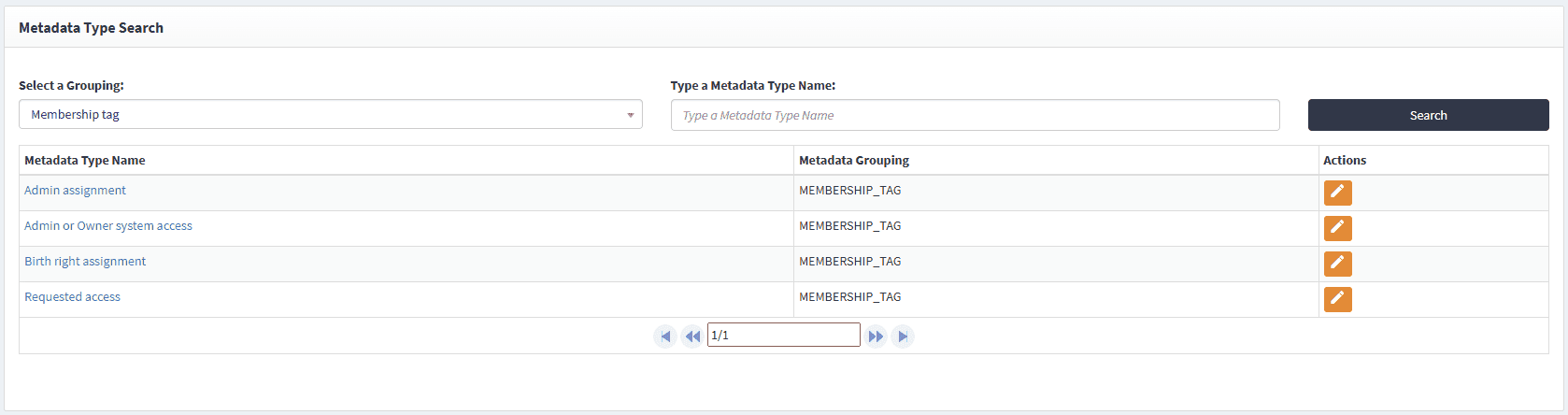
The four default tags are as follows:
- Admin assignment. This tag is automatically added to every assignment made through the webconsole. Whenever an administrator assigns access to a user in the webconsole, the Admin assignment tag is applied. Similarly, when access is assigned through an API call, the tag is also assigned. For example, each time the webconsole API property
entitledis used, the Admin assignment tag is applied. To add the tag go to User search > Edit > User entitlements > Add group/role. You can also check Network tab, which should have an entitlement call. Now, that role/Group will be added to the user, and it will be having Admin Assignment tag
Admin owner system access. This tag represents particular access rights that users have in the system, such as being listed as an Owner or an Admin of a Role, Group, or Resource. For the user to have this membership tag, you can navigate to Access control > Group/Role > Add user in Group owner/admin > Access control > Access certification > New/Edit access certification > Add that user to that access certification > Execute it > Check in SelfService, the user will have Admin or Owner system access tag.
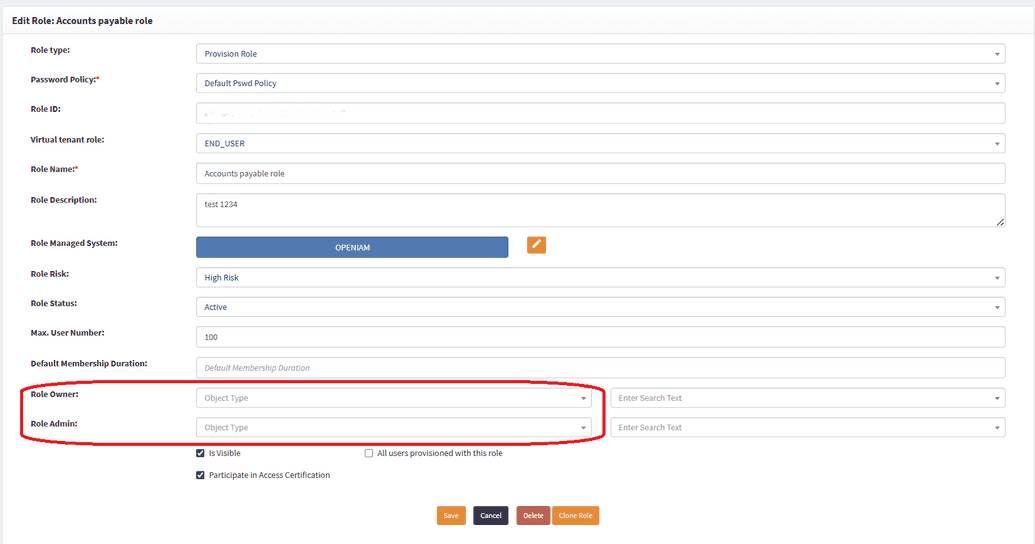
For example, Scott Nelson is marked as the Owner of the Sales Team role and will automatically have the Admin owner system access tag.
Birthright assignment. This tag is assigned when access is granted through a business rule. For example, if a business rule automatically assigns Roles, Groups, Resources, or Organizations, the resulting entitlements will be tagged as Birthright assignment. For the User to have this tag, an admin needs to add business rule to add Group/Role and create user based on the business rule.
Requested access. This tag is applied whenever access is granted as a result of a user request through the SelfService portal. For instance, when a user submits a request via the catalog, and the request is approved, the access is assigned with the Requested access tag. For a user to have a requested tag, they need to log in to SelfService > Create request > Choose Service from catalog > From directories > Select Role/Group > Submit > Approve the request. That Role/Group will be added to the user, and they will have Requested access tag.
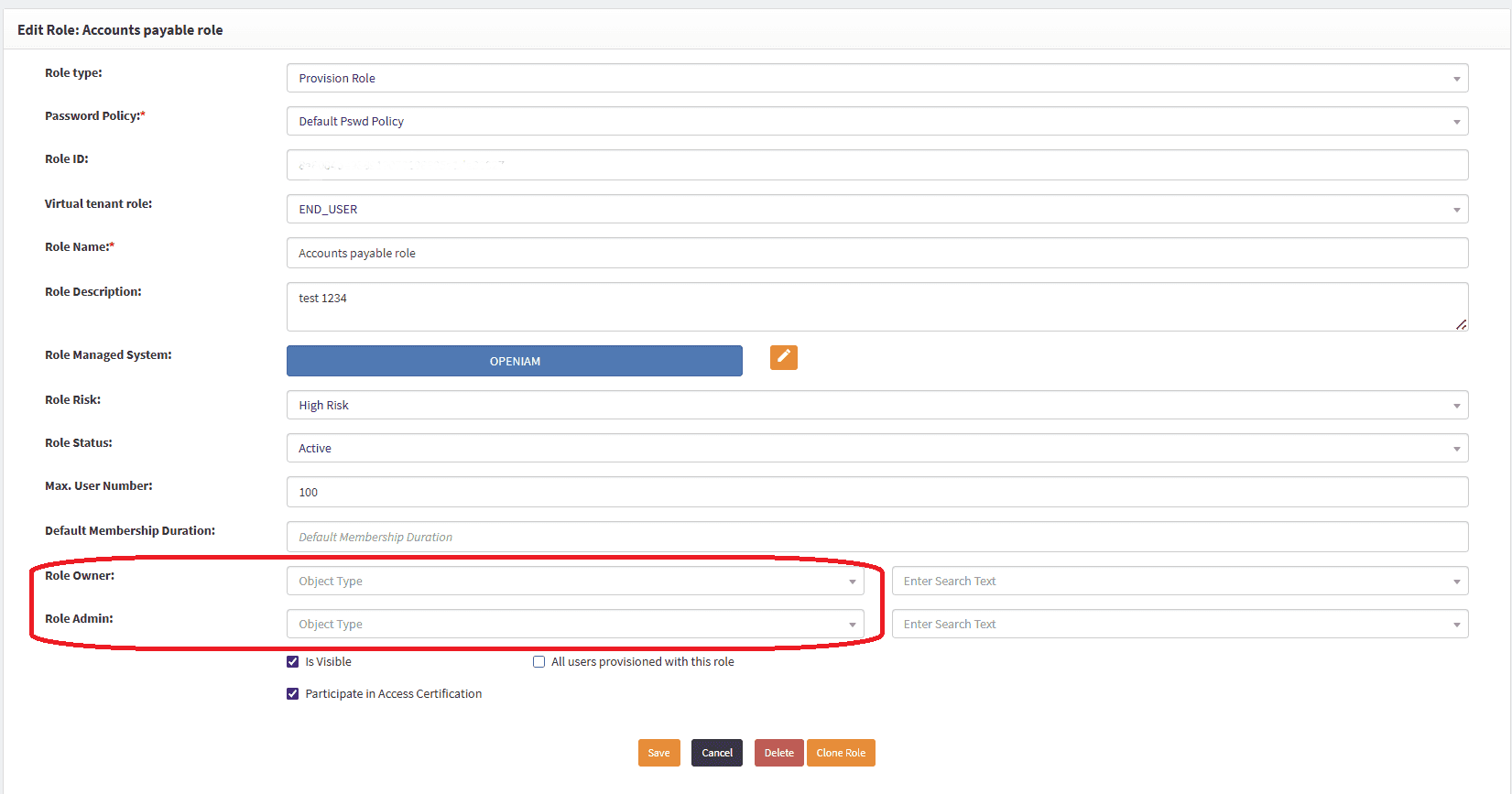
These tags were introduced to clearly represent why a user has access and to provide transparency into entitlement assignments. They replace the older IsCertified access right type, which was previously required for memberships to be included in access reviews. That approach was cumbersome, as administrators had to manually ensure every assignment carried the IsCertified flag.
Membership tags make this process more natural and easier to manage. While IsCertified still exists and can be used if desired, it no longer determines whether a user’s membership will be part of access certification. Instead, membership tags define this.
Additionally, membership tags play a key role in access certification reviews by allowing administrators to filter entitlements. In the access certification review window, a new field called Membership tags to exclude has been introduced for this purpose.
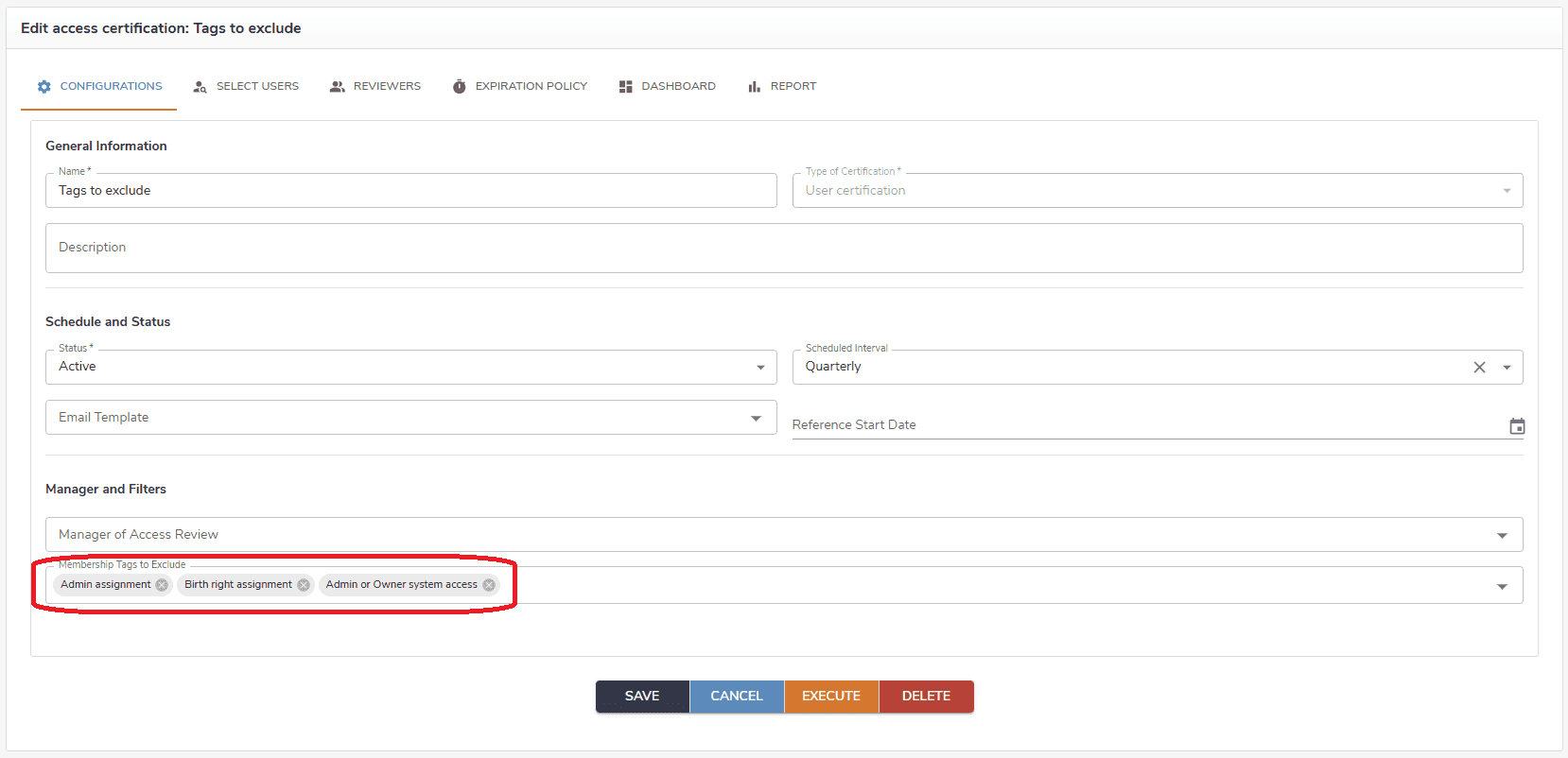
Often, when users perform a review, they may not want to include system assignments or role owners, but instead focus only on members or administrators. This approach makes more sense in the business context of access certification. The Membership tags to exclude field allows reviewers to filter out irrelevant types of access assignments and concentrate only on the ones that are required, making the review process more focused and efficient.