Workflow tab
The Workflow tab allows the configuration of workflow properties.
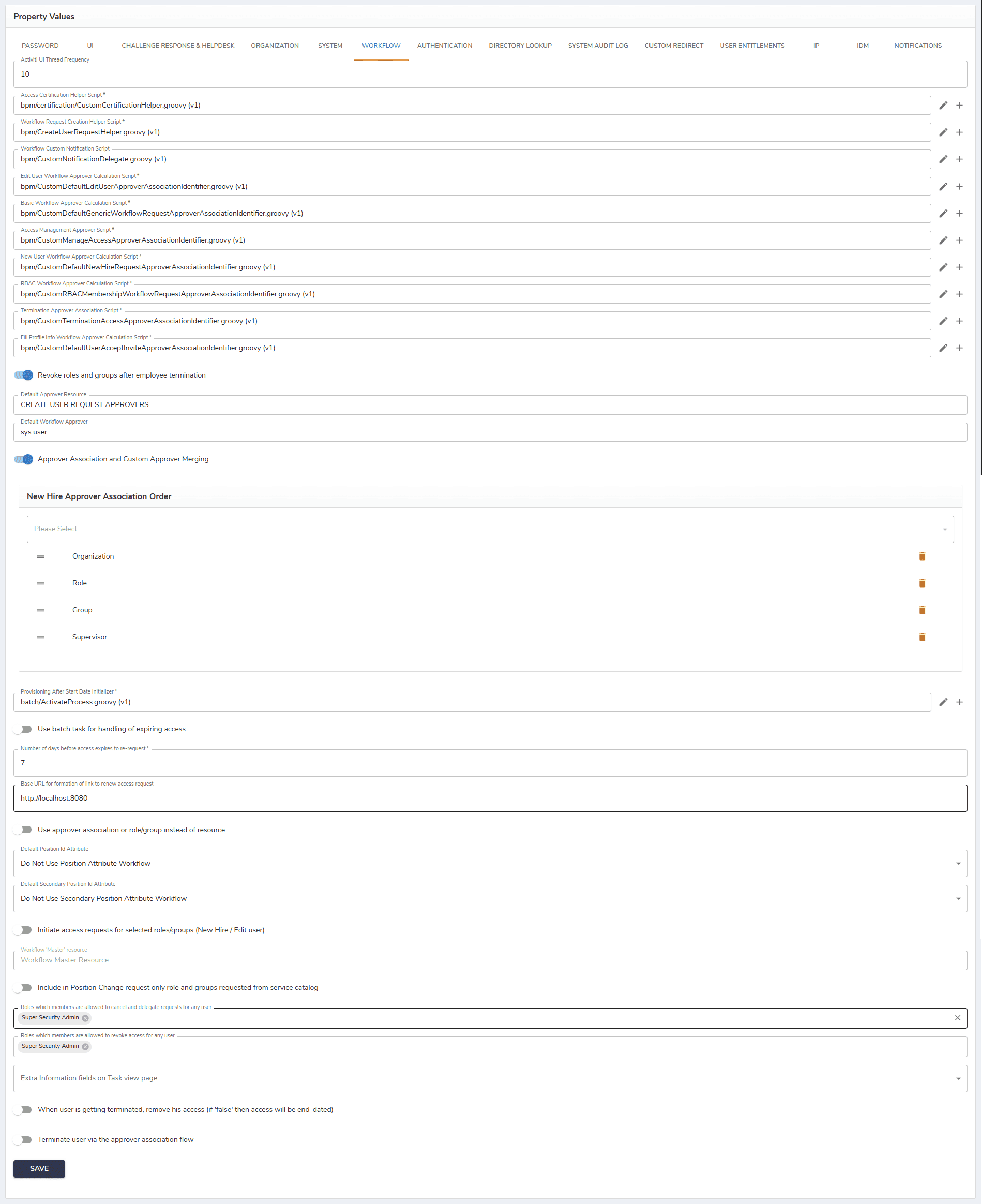
The description of fields in this tab is provided in the table below.
| Field | Description |
|---|---|
| Activiti UI Thread Frequency | This option allows setting the frequency of processing or updating the UI thread in the Activiti system. |
| Access certification helper script | Provides helper logic used during access certification processes, such as preparing data, evaluating conditions, or supporting certification decisions. |
| Workflow request creation helper script | Executes custom logic during workflow request creation, allowing validation, data enrichment, or dynamic request initialization. |
| Edit user workflow approver calculation script | Dynamically determines the approvers for workflows related to editing existing user information. |
| Basic workflow approver calculation script | Calculates the approver list for standard workflows based on predefined rules and context. |
| Access management approver script | Determines approvers for access management requests, such as role, group, or entitlement assignments. |
| New user workflow approve calculation script | Calculates the approvers required for new user onboarding workflows. |
| RBAC workflow approver calculation script | Determines approvers for role-based access control (RBAC) workflows, based on roles, policies, or organizational structure. |
| Termination approver association script | Associates the appropriate approvers with user termination workflows. |
| Fill profile info workflow association script | Defines how the workflow for completing or updating user profile information is associated and triggered. |
| Revoke roles and groups after employee termination | Executes logic to automatically remove assigned roles and group memberships after an employee is terminated. |
| Default Approver Resource | If no approver associations can be determined for a workflow, the approver association of this resource name will be used. |
| Default Workflow Approver | The default approver for all workflows if no approval can be determined. |
| Approver Association and Custom Approver Merging | If the feature is set to 'true,' the administrator can associate specific approvers with particular stages or actions within a process and allows for the customization and merging of approvers based on needed rules or conditions. |
| New Hire Approver Association Order | The order in which the new hire event is being approved. |
| Provisioning after start date initializer | Initializes and controls provisioning actions that should be triggered only after a user’s start date is reached, ensuring that accounts, roles, and access are created at the appropriate time. |
| Use batch task for handling of expiring access | If checked, it enables administrators or users to use a batch task for handling or managing the expiration of access operations. |
| Number of days before access expires to re-request | Sets the period in days for which the access request is valid. |
| Base URL for the formation of a link to renew access request | The URL used as a base when renewing access requests. |
| Use approver association or role/group instead of resource | If the property is set to 'true', then the approver association workflow for the group or role will be used, instead of the resource one. |
| Default Position Id Attribute | The field allows setting the attribute as the default identifier for positions (roles, groups, organizations) in the system. |
| Default Secondary Position Id Attribute | The field allows setting the attribute as the default identifier for secondary positions in the system. |
| Initiate access requests for selected roles/groups (New Hire / Edit user) | If set to 'true,' it enables initiating the access request for selected roles/groups for new hire or edit user workflows. |
| Workflow 'Master' resource | The field refers to a primary resource within a workflow. |
| Include in Position Change request only role and groups requested from the service catalog | If checked, this feature allows including the request for position change for only roles/groups in the service catalog. |
| Roles which members are allowed to cancel and delegate requests for any user | Here one can choose a role to cancel and delegate requests. |
| Roles which members are allowed to revoke access for any user | Here one can choose a role to revoke access for users. This will extend the default setting where superadmin role members can revoke access, a manager can revoke access for their direct employees and a user can do it for themself. |
| Extra Information fields on Task view page | Allows adding extra fields with information necessary for the task view page. |
| When user is getting terminated, remove their access (if 'false' then access will be end-dated) | Determines whether a user’s access is immediately removed upon termination or, if set to false, retained until the configured end date. |
| Terminate user via the approver association flow | Controls user termination by routing the termination request through an approver-based workflow, ensuring that required approvals are obtained before deprovisioning and termination actions are executed. |
After configuring all properties, click Save to save the changes.