Risk event driven certification
Risk event driven certification is triggered for users who experience a risky event in their profile.
In version 4.2.2 of OpenIAM, three events are considered risky:
- title change;
- supervisor change;
- department change.
Technically, a risk event review works the same way as any other review.
The difference lies in how users are selected for review. If a user experiences one of these events in their profile, a new audit log entry is created once the provisioning service detects it.
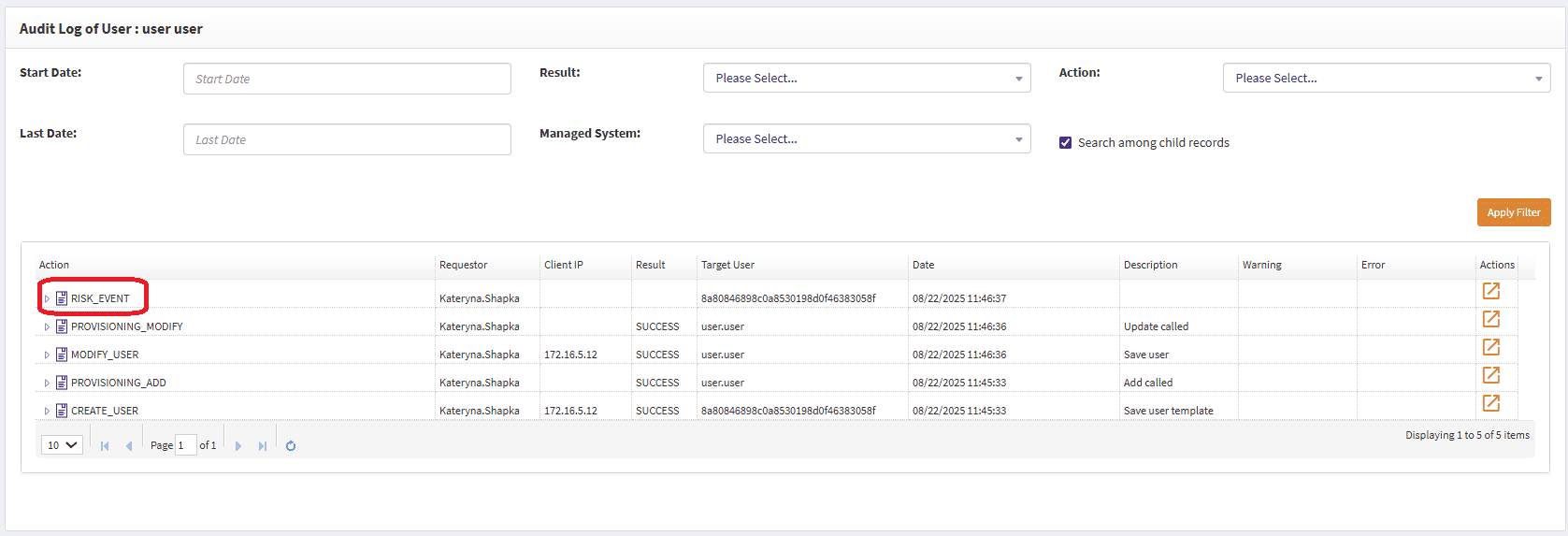
Clicking the Details icon opens the screen below:
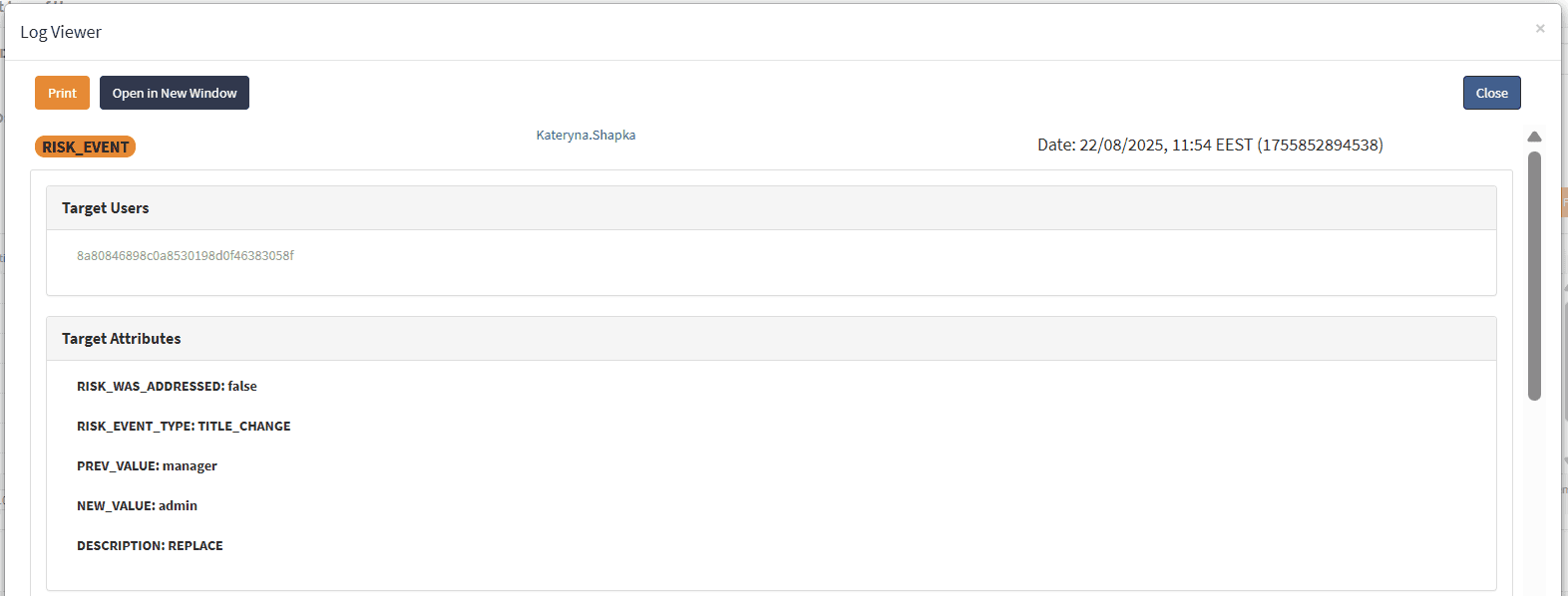
| Attribute | Description |
|---|---|
RISK_WAS_ADDRESSED | false → The user’s access has not been reviewed since the risk event occurred. true → The user’s access has already been reviewed. |
RISK_EVENT_TYPE | The type of risk event (one of the three events recognized as a risk event) that triggered the log entry. |
PREV_VALUE | The value before the change. |
NEW_VALUE | The value after the change. |
DESCRIPTION | A brief description of the action that occurred. |
If the log entry shows RISK_WAS_ADDRESSED:false, you can go to Access Review, open the Risk events tab, select the TITLE_CHANGE risk event, and click Preview users.
This will display all users with a changed title whose access has not yet been reviewed.
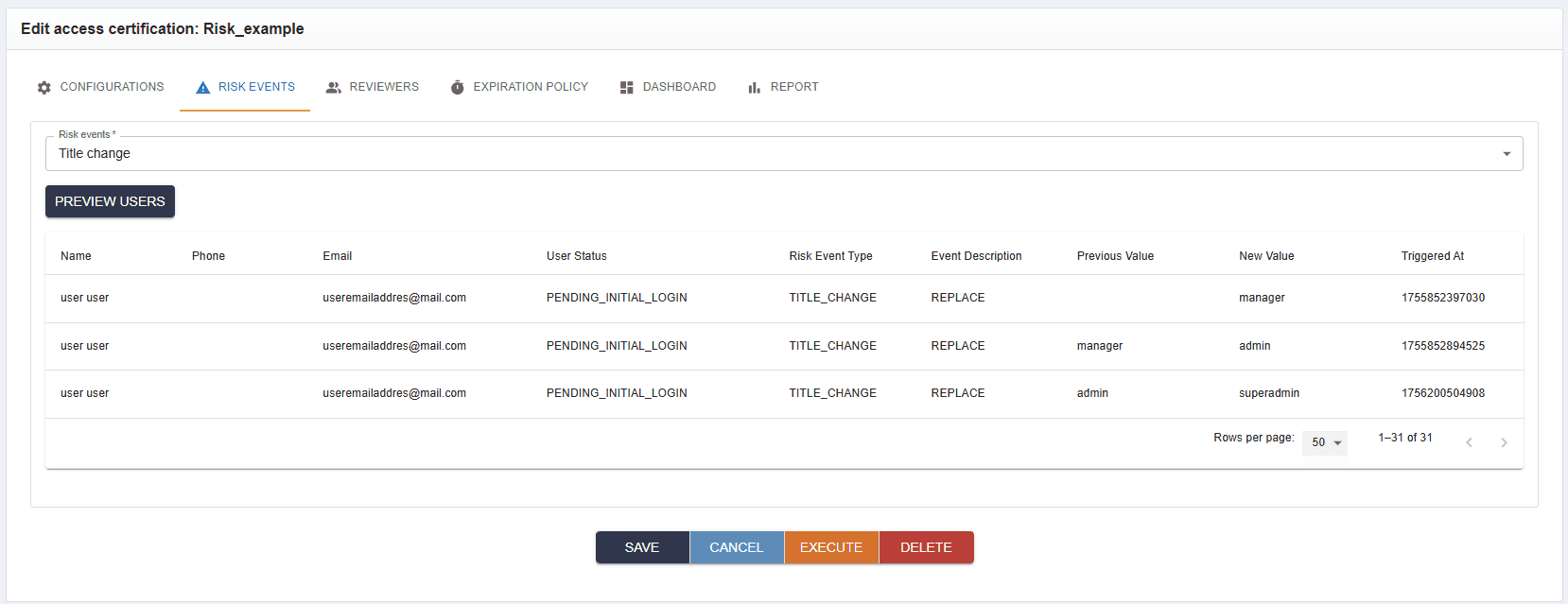
Pay attention that number of the risk events does not correlate with access review items of the initiated campaign, risk items indicate users, whose access should be reviewed. Hence here, number of access review items is total number of entitlements for users who recently had risky audit event.
Starting a campaign at this point will launch a review for those users.
The approver will see the campaign and will need to review the event.
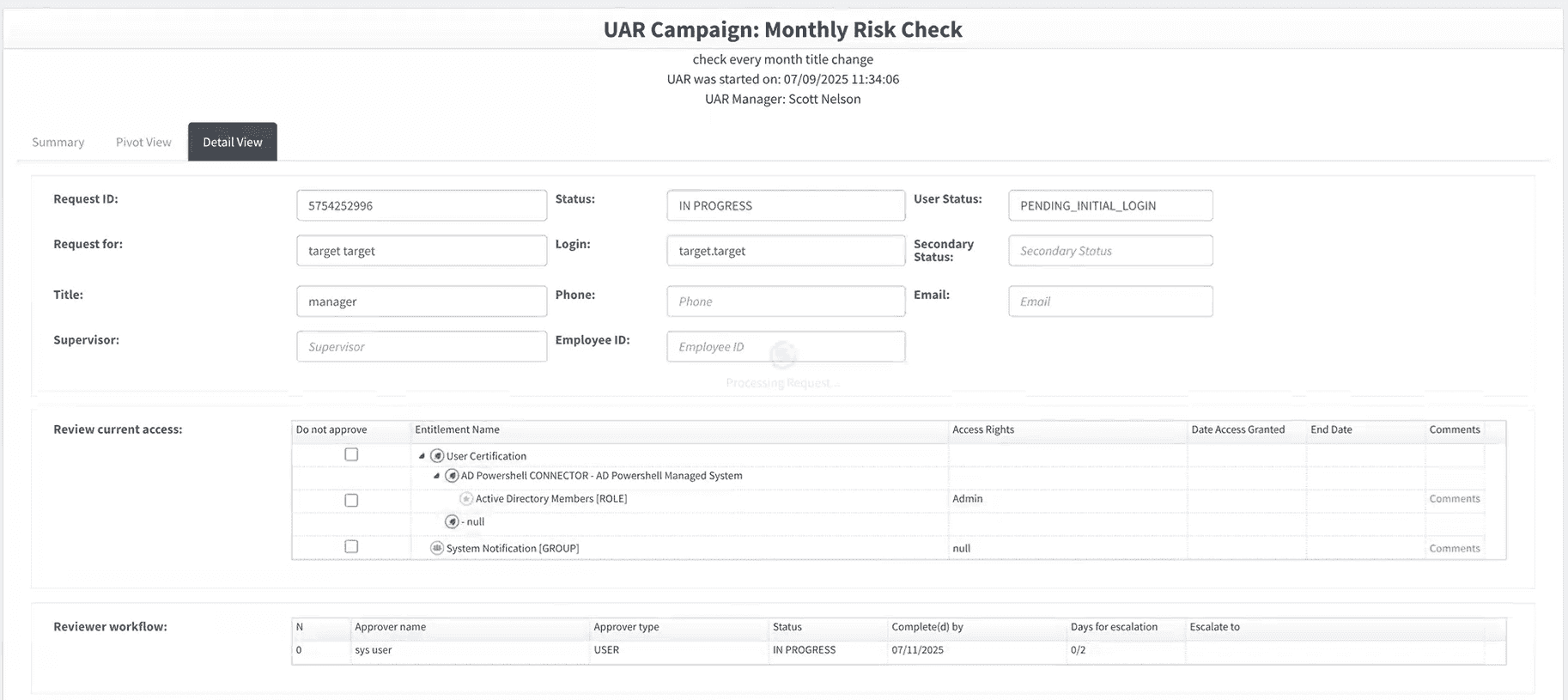
When the approver clicks Complete, the risk will be addressed and the audit log will update accordingly:
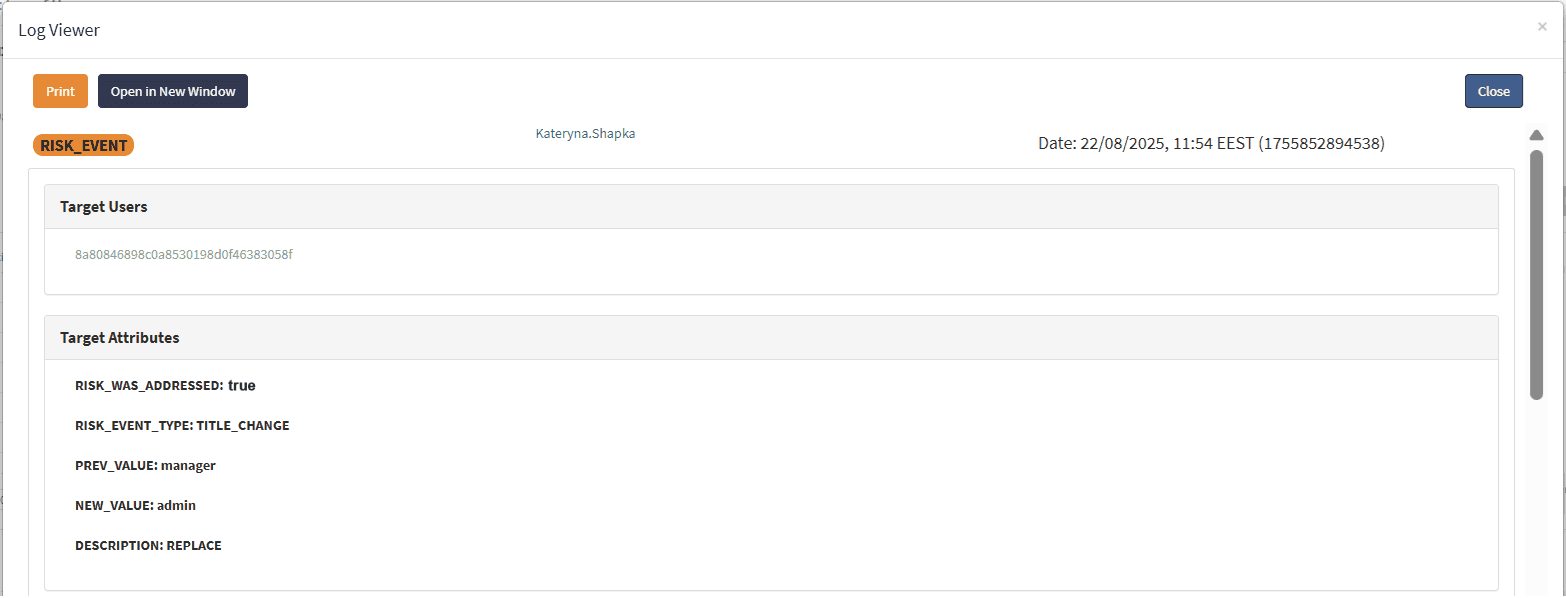
Now, in the Risk events tab of the Access Certification Campaigns page, the list of previewed users for TITLE_CHANGE will be empty, since the user’s access has already been reviewed.
For example, SelfService shows 49 records in tile view and entitlement view, but on manual calculation, only 44 entitlements exist. Here, SelfService shows 49 records in the tile view and these records are not entitlements. These are access review items; namely, there might be one "AD member" role, but there are two users (A and B) having this role and participating in the certification, thus there are two access review items for this "AD member" role, where one item belongs to user A and another to user B.
In manual calculation, a user who appears to be the reviewer of the campaign is also part of the review with other users. Since the situations where a user can review their own access are avoided, those accessory items are automatically transferred to the user’s manager.