Authentication policy
Authentication policies are used to define general parameters to control authentication behavior. These include the following parameters:
- Failed authentication count.
- Auto unlock.
- Session token life.
To create a new Authentication Policy, follow the steps below.
By default, there are two authentication policies in OpenIAM. However, the uses can easily create a customized one as needed. To create a new authentication policy:
- Login to webconsole.
- Go to Policy > Authentication Policy.
- Click Create new authentication policy from the side bar. You will see the form shown below.
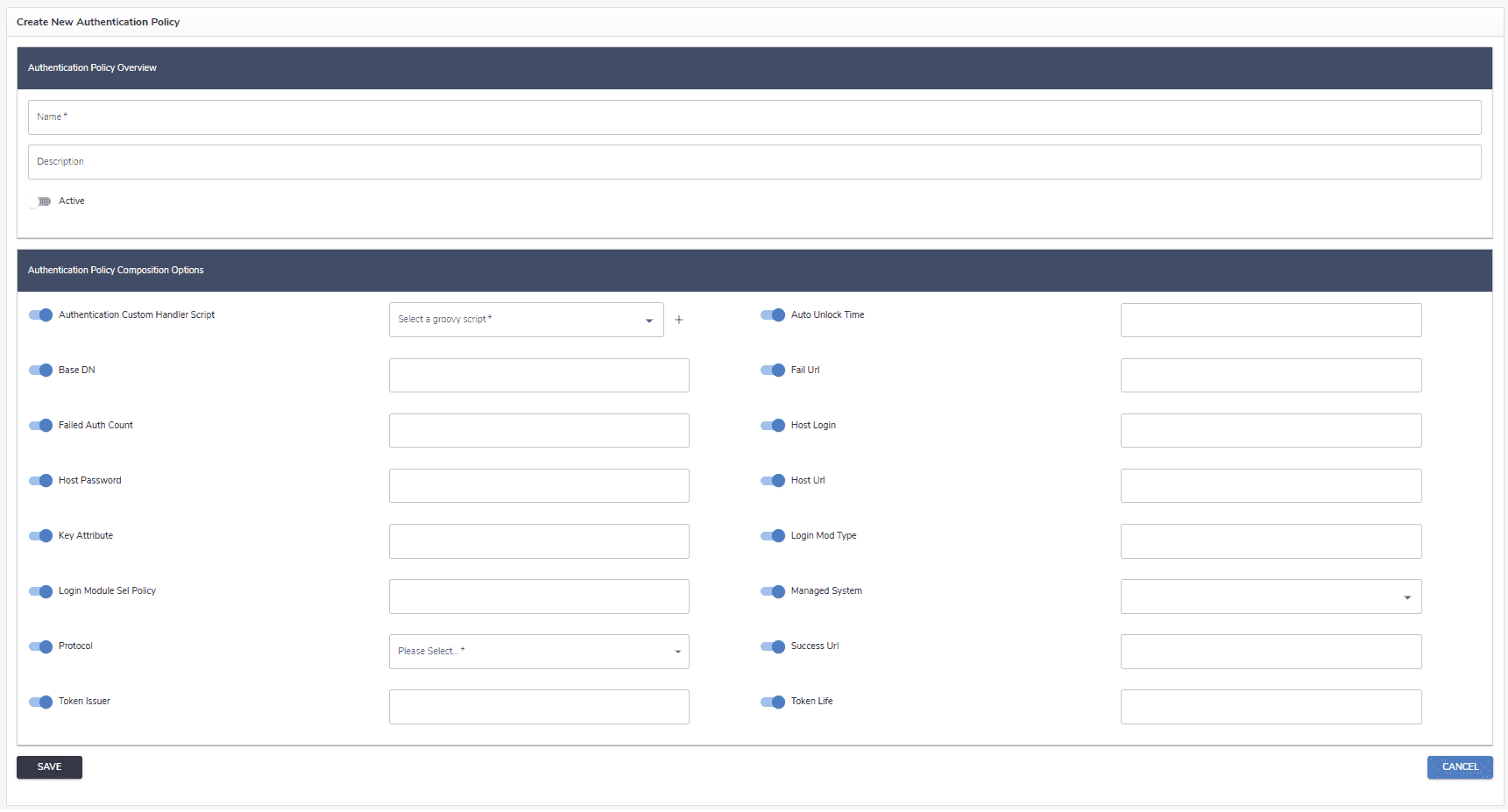
Complete the form using the table below for reference.
| Parameter name | Description |
|---|---|
| Authentication Custom Handler Script | Specifies a custom Groovy script used to extend or override the default authentication logic. This script allows administrators to implement custom authentication workflows—for example, performing additional validations, integrating with external systems, or applying specific business rules during user login. |
| Auto unlock time | Time in minutes when a locked account will automatically unlock. |
| BaseDN | |
| Failed auth count | Number of times where a consecutive authentication failure will lock the account. |
| Fail URL | External URL where the user will be redirected after failed authentication attempts. This URL overrides default behavior and is not normally necessary. |
| Host login | |
| Host password | |
| Host URL | |
| Key attributes | |
| Login module sel policy | |
| Login mod type | |
| Managed system | |
| Protocol | Communication protocol: CLEAR, SSL, TLS. It is an important parameter that indicates which protocol is used at the back end to authenticate. |
| Success URL | External URL where the user will be redirected after successful authentication. This URL overrides default behavior and is not normally necessary. |
| Token issue | Name of the entity which issued the token. |
| Token life | Duration of the token session expressed in minutes. |