Simulation
The Simulation tab evaluates a policy version against real principals and resources without affecting real access, so you can see what a policy would decide before enforcing it — or drive it under load to measure its cost. Simulation runs are not written to the decision log and are not billed.
Setting up a run
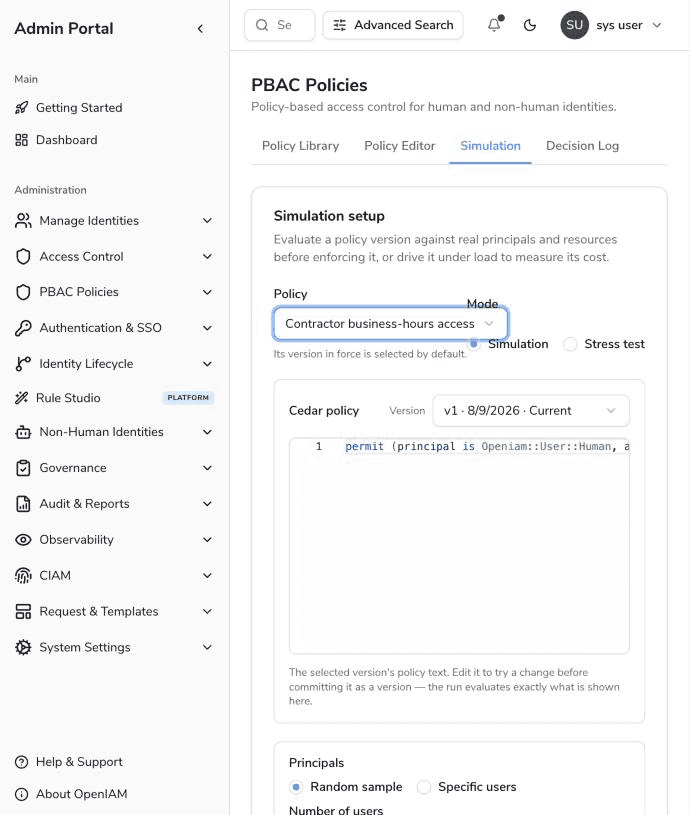
- Policy and version — pick a policy; the version in force is selected by default, and any other version can be chosen. The selected version's Cedar text is loaded into an editor, and it is editable: the run evaluates exactly the text shown, so you can try a change before committing it as a version.
- Mode — Simulation (one evaluation per subject, decisions are the point) or Stress test (the subject set is replayed in loops at a requested concurrency, timing is the point). Stress-test runs expose additional knobs: loops (up to 1,000), concurrency (up to 256) and an optional target TPS.
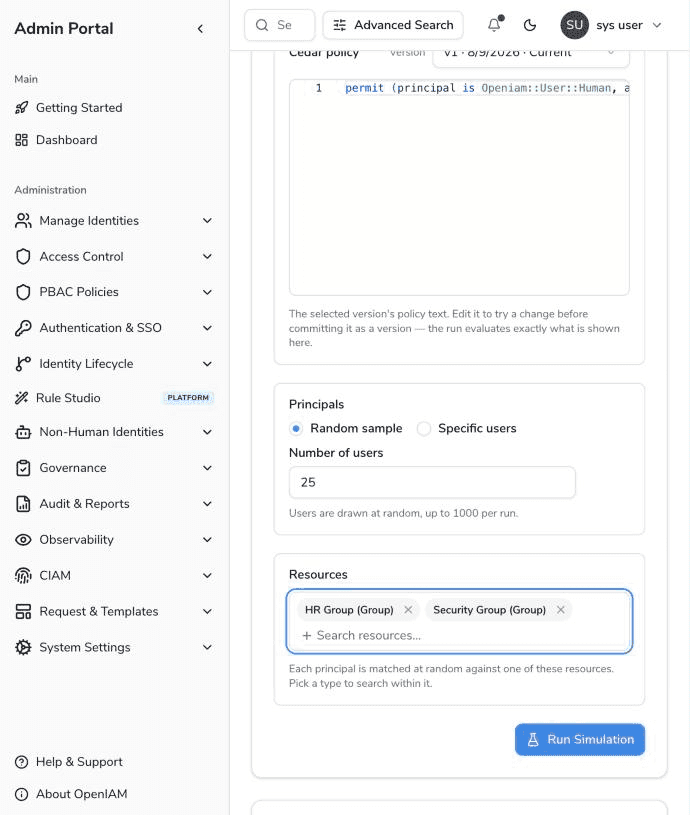
- Principals — a Random sample of users (up to 1,000 per run) drawn from the directory, or an explicit list of Specific users.
- Resources — the candidate resources each principal is matched against, drawn at random per evaluation. Because resources, groups, roles, organizations and users have separate search endpoints, the picker is type-scoped: choose a type first, then search within it.
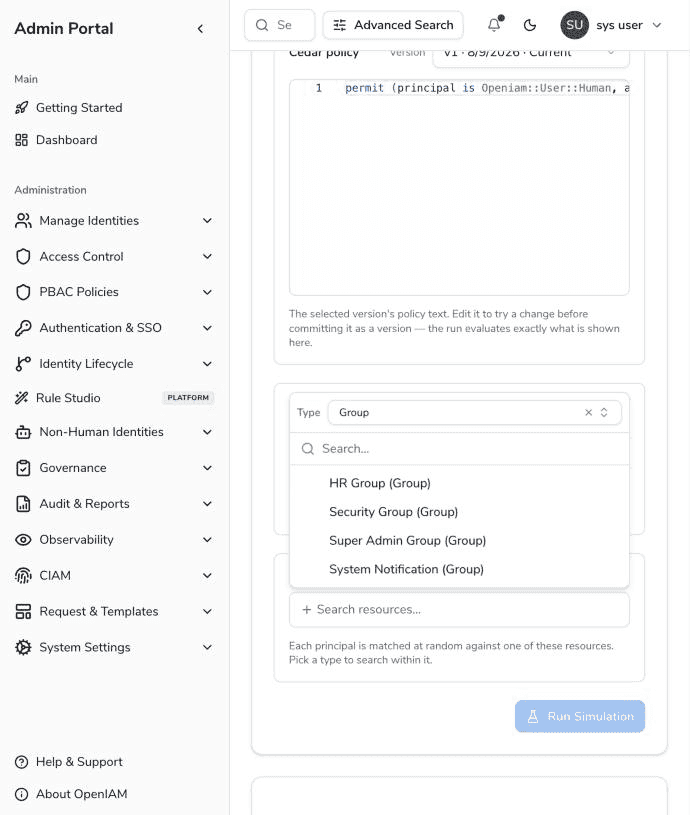
With principals and resources chosen, Run Simulation starts the run:
Reading the results
Runs execute asynchronously; the results panel polls until the run finishes. A run moves through PENDING → RUNNING → COMPLETED (or FAILED; a run cancelled mid-flight is CANCELLED and keeps the results for the subjects it reached).
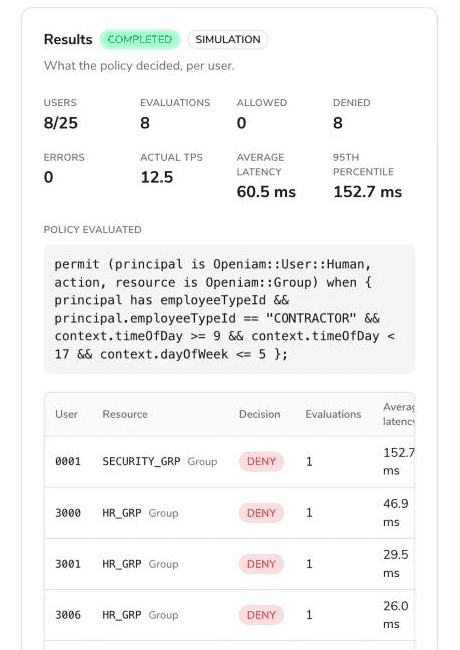
The header aggregates the run: subjects resolved vs. requested, total evaluations, allowed / denied / error counts, actual throughput (TPS) and latency (average, 95th percentile, max). The policy text that was evaluated is shown beneath it, followed by the per-user table:
| Column | Description |
|---|---|
| User / Resource | The principal and the resource it was matched against. |
| Decision | ALLOW or DENY. A subject whose evaluations all failed shows an error instead of a decision. |
| Evaluations | How many times the pair was evaluated (loops fold into one row; a 1,000-subject × 1,000-loop stress run leaves 1,000 rows, not a million). |
| Latency | Average and maximum evaluation latency for the row. |
| Determining policies | Which policy statements determined the decision — the explainability breadcrumb for "why did this user get denied?". |
A request that no policy permits is denied — Cedar's default-deny — so expect DENY rows for subjects the policy simply does not match.