Policy editor
The Policy Editor tab is where policies are created and maintained. A policy is a named header plus an append-only history of versions, where each version is a snapshot of Cedar policy text.
Creating a policy
Click New Policy in the library, or open the Policy Editor tab directly. In create mode you fill in the policy details: name, description, lifecycle status (a new policy defaults to DRAFT) and, optionally, an enforcement mode. The enforcement mode only takes effect while the policy is ACTIVE.
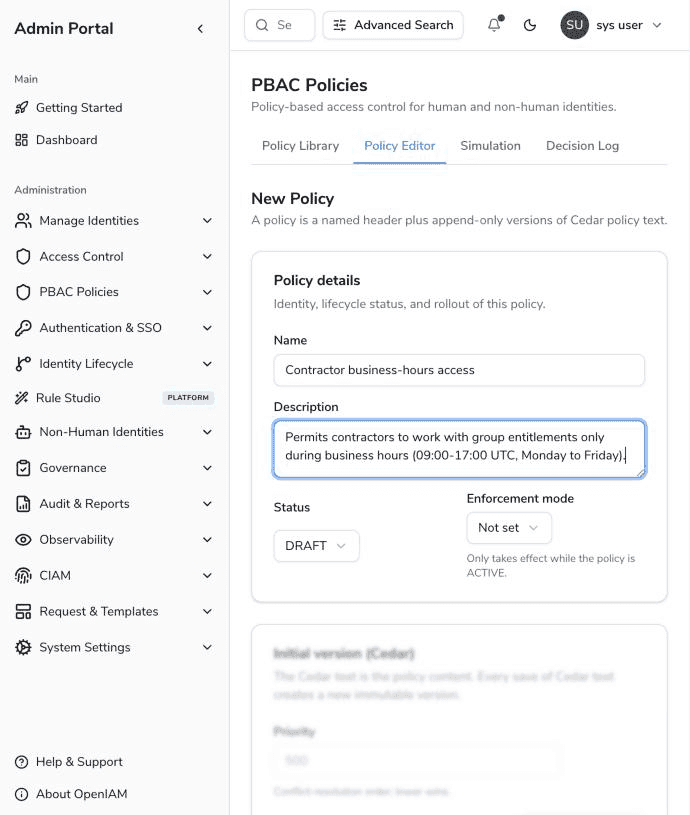
The version authoring card is locked while the policy does not yet exist, because versions can only be appended to a saved policy:
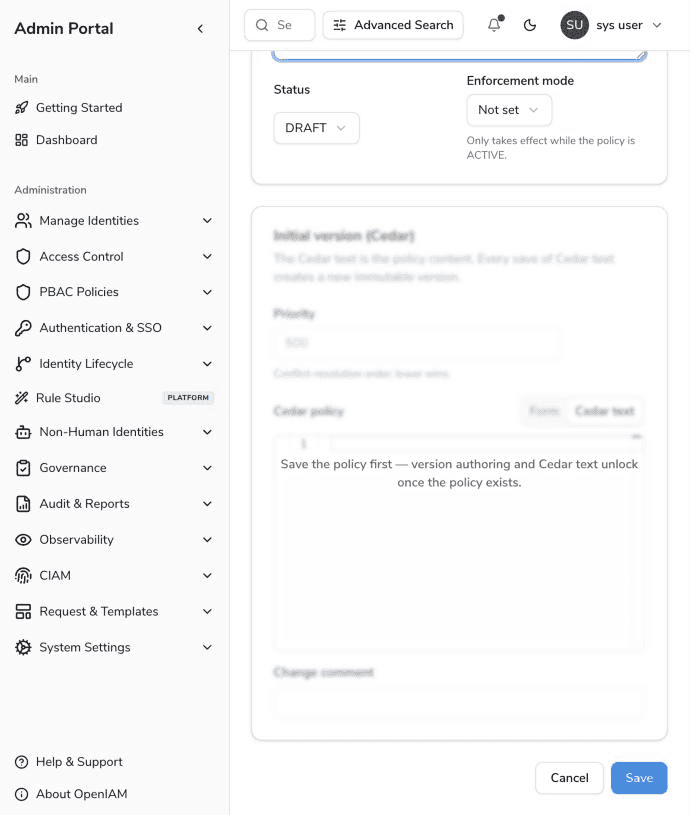
Click Save. The editor reopens in edit mode, where the authoring card unlocks and you can write the first version.
Versions are immutable
Every save of changed Cedar text creates a new, immutable version; existing versions are never modified. Each version records its priority, an optional change comment, who authored it and when. The version history card lets you browse versions — selecting a chip shows that version's Cedar text — and the version currently in force is highlighted:
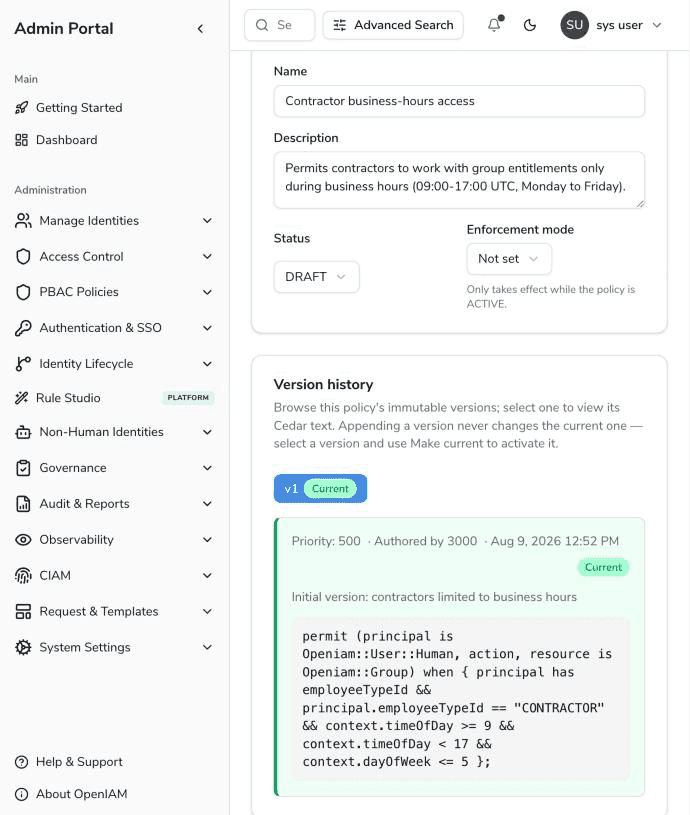
Appending a version never changes which version is in force. To activate a different version — including rolling back to an older one — select it and click Make current. This explicit step is the only way the current pointer moves.
| Field | Description |
|---|---|
| Priority | Conflict-resolution order used when reporting which policies determined a decision; lower wins. Defaults to 500. |
| Change comment | Free-text note stored with the version, shown in the version history. |
Authoring: Form and Cedar text
The authoring card offers two views of the same policy, switched with the Form / Cedar text toggle. The Cedar text is what gets saved; the form writes through to the text on every edit.
The form builder
The form assembles a policy from the vocabulary the server declares — the entity types a principal and resource may be, the access rights that exist in your deployment, and the attributes each entity carries — so everything except literal values is picked from a list, and the form cannot produce a policy that names something the decision engine could not resolve.
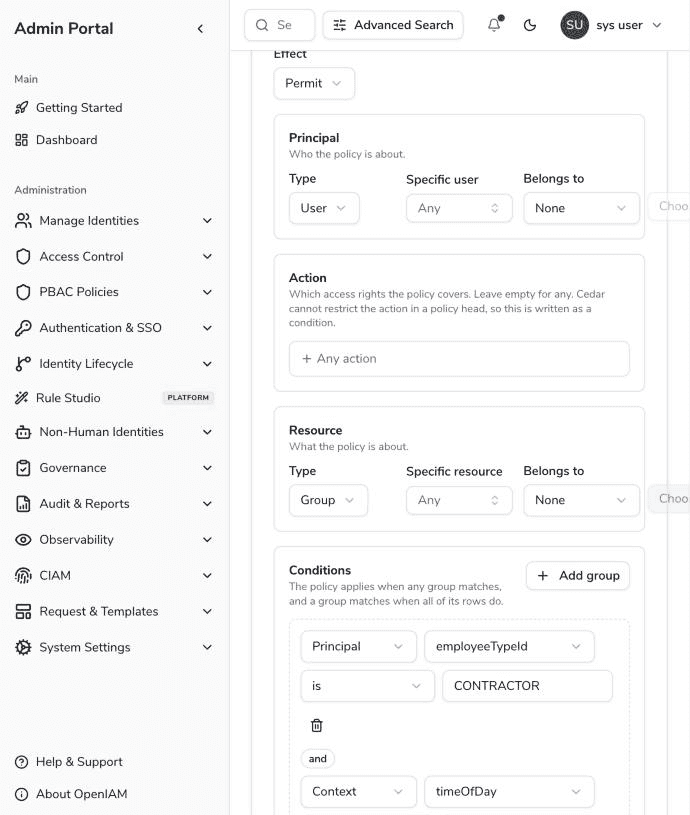
- Effect — permit or forbid.
- Principal — who the policy is about: the user type, optionally narrowed to a specific user or to members of a group, role or organization (Belongs to).
- Action — which access rights the policy covers; leave empty to cover any action. Cedar cannot restrict the action in a policy head, so a chosen access right is written as a condition.
- Resource — what the policy is about: a resource, group, role, organization or user, optionally narrowed to a specific entity or an ancestor.
- Conditions — the policy applies when any condition group matches, and a group matches when all of its rows do (an OR of AND-groups).
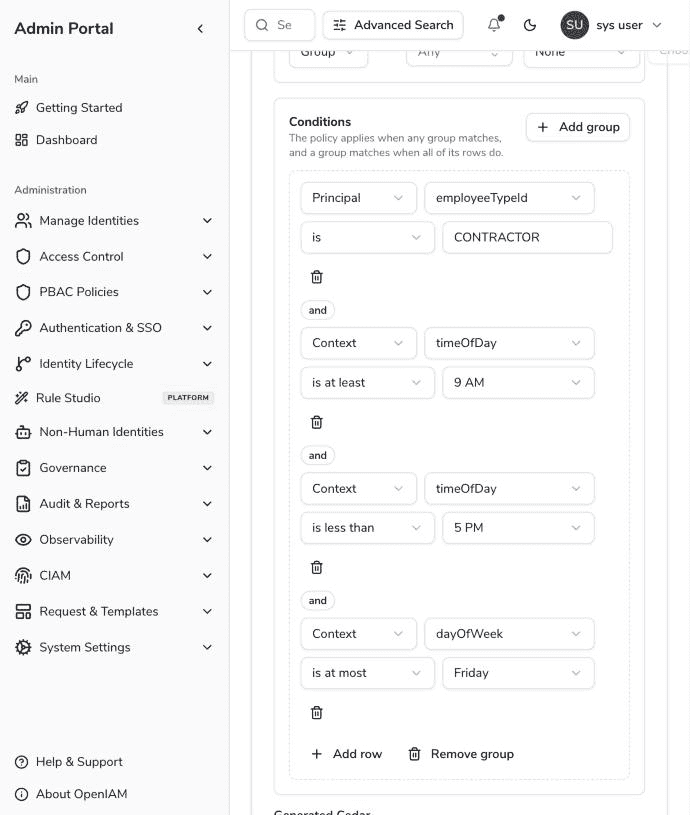
Condition rows test attributes of the principal, the resource, or the request context. Enumerable context values are shown with human-readable labels — hours as 9 AM, weekdays as Friday — while the policy text stores the underlying number. The available operators depend on the attribute's type.
Below the form, the Generated Cedar panel shows the text the form is producing:
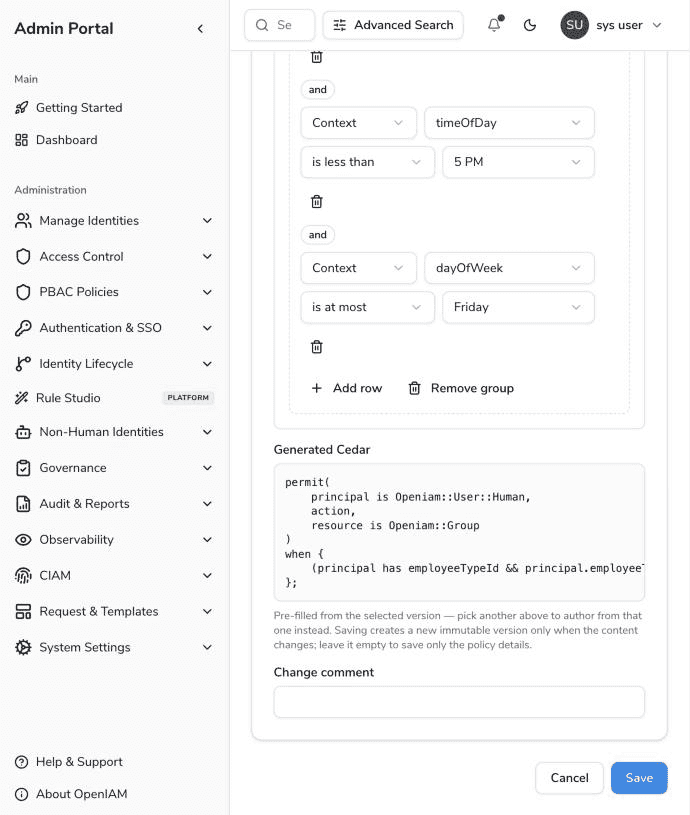
, several statements, or deeper nesting) cannot be shown in the form; the Form tab says so explicitly and leaves the text untouched rather than showing a lossy approximation. Continue editing such policies on the Cedar text tab.unless
The Cedar text editor
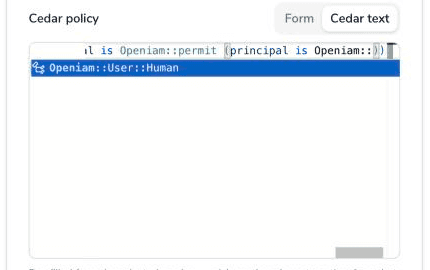
The Cedar text tab is a full code editor with Cedar syntax highlighting and context-aware autocompletion. Completions are offered for entity types after ::, for attributes after principal., resource. and context. (based on the entity types pinned in the policy head), and for concrete access rights after action ==.
Validation
Cedar text is compiled server-side when a version is saved. A version that does not compile is rejected at save time with the compiler's own error message, so a policy that could never be activated is never stored.
Cedar in OpenIAM — quick reference
OpenIAM exposes its identity model to Cedar under the Openiam namespace:
| Cedar entity | Represents |
|---|---|
Openiam::User::Human | A user (the principal of every request). |
Openiam::Group, Openiam::Role, Openiam::Organization, Openiam::Resource | Resource-side entities. A user can also be the resource (e.g. policies about who may modify whom). |
Openiam::AccessRight::"<id>" | An action — one of the access rights defined in your deployment. |
A typical policy generated by the form:
permit(principal is Openiam::User::Human,action,resource is Openiam::Group)when {(principal has employeeTypeId && principal.employeeTypeId == "CONTRACTOR"&& context.timeOfDay >= 9 && context.timeOfDay < 17&& context.dayOfWeek <= 5)};
Points worth knowing when writing Cedar by hand:
- Principal attributes include identity fields (
employeeTypeId,jobCodeId,title,status, …) and the user's entitlements as list attributes:groupIds,roleIds,organizationIds,resourceIds. Each list holds the plain entity id ("g-1", membership) and one"<entityId>::<rightId>"entry per access right held on that entity, soprincipal.groupIds.contains("g-1::read")asks "does this user hold read on group g-1". - Membership can also be tested with
in:principal in Openiam::Group::"g-1"walks the user's entitlement graph (including transitive parents). - Optional attributes must be guarded: Cedar treats reading an absent attribute as an evaluation error, not as false. Write
principal has employeeTypeId && principal.employeeTypeId == "X". The entitlement lists and login/email lists are always present and can be read directly. The form builder adds these guards automatically. - Custom (tenant-defined) attributes are Cedar tags:
principal.hasTag("department") && principal.getTag("department").contains("engineering"). Tag values are always lists of strings. - Context attributes supplied on every decision:
context.contentProviderId(string),context.timeOfDay(hour 0–23, UTC) andcontext.dayOfWeek(ISO-8601: Monday is 1, Sunday is 7).