> For the complete documentation index, see [llms.txt](https://docs.openiam.com/llms.txt). Markdown versions of documentation pages are available by appending `.md` to page URLs; this page is available as [Markdown](https://docs.openiam.com/getting-started-guide/federation.md).
# Federation
Choose a federation journey: OpenIAM as the identity provider, or as the service provider.
One question picks your page: **who authenticates the user?**
| Journey | Who authenticates | Who consumes the result | Choose this when… | End-user experience |
| ---------------------------------------------------------------------------------------------- | ---------------------------------------------------------- | -------------------------------------------------------------------------------------------------- | --------------------------------------------------------------------------------------------- | --------------------------------------------------------------------------------------------- |
| [14. OpenIAM IdP → Microsoft Entra ID](/getting-started-guide/federation/openiam-idp-entra.md) | **OpenIAM** | Entra ID (via **domain federation** — sign-in for an entire Entra domain is redirected to OpenIAM) | OpenIAM is your source of truth and users should reach Microsoft 365 with OpenIAM credentials | User types their address at office.com → redirected to OpenIAM login → lands in Microsoft 365 |
| [15. OpenIAM IdP → Google Workspace](/getting-started-guide/federation/openiam-idp-google.md) | **OpenIAM** | Google Workspace (via a **third-party SSO profile** scoped to an OU or group) | Same, for Google Workspace | User signs in at Google → redirected to OpenIAM login → lands in Gmail/Drive |
| [16. Entra ID IdP → OpenIAM SP](/getting-started-guide/federation/openiam-sp-entra.md) | **Microsoft Entra ID** (via an **enterprise application**) | OpenIAM | Users live in Entra and should reach OpenIAM's portals with Microsoft credentials | User hits OpenIAM → redirected to Microsoft login → lands in SelfService |
| [17. Google IdP → OpenIAM SP](/getting-started-guide/federation/openiam-sp-google.md) | **Google Workspace** (via a **custom SAML app**) | OpenIAM | Users live in Google and should reach OpenIAM with Google credentials | User hits OpenIAM (or the Google app launcher) → Google login → lands in SelfService |
All four use **SAML 2.0**. Each page is complete on its own. If you just want the lowest-risk first federation win, start with **journey 16** — it adds a sign-in path without changing how anyone signs in anywhere else. Journeys 14 and 15 redirect authentication for a whole domain/OU and carry real blast radius; their pages open with the safety work.
```mermaid
flowchart LR
subgraph J14/J15 [OpenIAM as IdP]
U1[User] --> T1[Entra ID or Google] -->|redirect + AuthnRequest| O1[OpenIAM authenticates] -->|SAML assertion| T1
end
subgraph J16/J17 [OpenIAM as SP]
U2[User] --> O2[OpenIAM] -->|redirect + AuthnRequest| I2[Entra ID or Google authenticates] -->|SAML assertion| O2
end
```
**What these POCs prove:** OpenIAM can issue standards-compliant SAML assertions that Microsoft and Google accept (14–15), and can consume theirs (16–17), with users matched between directories. **What they don't prove:** production topics like certificate lifecycle automation, attribute-rich claims mapping, JIT provisioning at scale, or SLO in every combination — those come after, via the Administration Guide's SSO chapter.
## Shared prerequisites (all journeys)
1. **HTTPS with a publicly trusted certificate, reachable from the internet** ([Enable HTTPS](/getting-started-guide/enable-https.md)). Microsoft and Google both require it; self-signed certs fail here.
2. **A test tenant and a disposable test population.** Never run a first federation against a production domain, OU, or tenant.
3. **Time sync** on the OpenIAM host ([Prepare your lab](/getting-started-guide/prepare-your-lab.md)) — assertions are timestamped; OpenIAM rejects messages outside a 10-minute window, and providers are equally strict.
4. **A second admin session open in a separate browser** for every change, and test users that hold no privileged roles.
5. Do all sign-in testing in **private/incognito windows** — cached sessions are the number-one source of federation confusion.
## OpenIAM-side model (shared by all four)
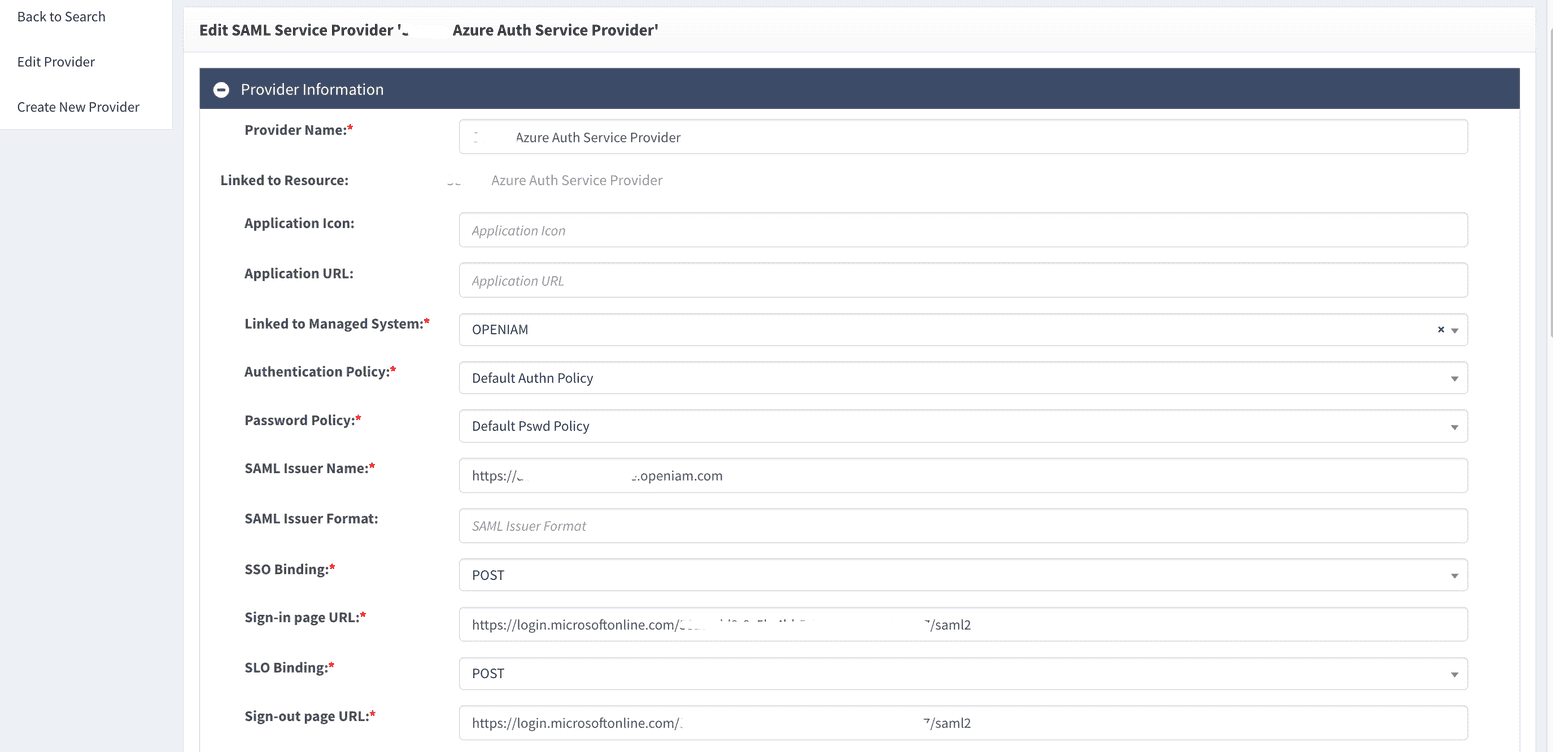
**Where providers live:** Webconsole → **Access Control → Authentication Providers** → create a new provider → type **SAML Identity Provider** (journeys 14–15) or **SAML Service Provider** (16–17).
**Two conditions gate every SSO sign-in through OpenIAM:**
1. The user must be **entitled to the provider's resource**. Grant it through a role: open the role → **Entitlements** → add the resource of type *Authentication provider*. An un-entitled user is refused with an authorization error even after authenticating.
2. The user must have a **login on the provider's *****Linked to Managed System***. That login is what feeds (IdP role) or matches (SP role) the SAML **NameID**. For these POCs, link the default OpenIAM managed system so the user's OpenIAM login/email is used.
**Metadata endpoints** (replace `` with the provider's ID, visible after saving):
| Role | Metadata URL |
| -------------- | ---------------------------------------------------- |
| OpenIAM as IdP | `https:///idp/saml2/idp/metadata/` |
| OpenIAM as SP | `https:///idp/saml2/sp/metadata/` |
Prefer metadata exchange over hand-copying: the IdP form has **Import from Service Provider Metadata**, the SP form **Import from Identity Provider Metadata** — each consumes the *other* side's metadata file and pre-fills URLs, certificates, and NameID formats. (Entra is the exception in one direction: it does not read IdP metadata — journey 14 configures the Entra side by PowerShell.)
**Signing certificate:** each provider carries a keypair — **Generate a new key** creates a self-signed RSA-2048 certificate valid **2 years**; you can also upload your own. Download it via **Download Signing Public Key**; it is also published in the metadata. Regeneration cannot be rolled back and immediately breaks the trust until the other side gets the new certificate.
{% hint style="info" %}
**Certificate expiry is the classic "federation broke a year later" incident.** Record the expiration date (shown on the provider page), assign an owner, and calendar the renewal — the counterpart (Entra federation config, Google profile, enterprise app) must receive the new certificate *before* the old one expires.
{% endhint %}
When things go wrong at any point: [Federation troubleshooting and recovery](/getting-started-guide/federation/troubleshooting.md).
---
# Agent Instructions
This documentation is published with GitBook. GitBook is the documentation platform designed so that both humans and AI agents can read, navigate, and reason over technical content effectively. Learn more at gitbook.com.
## Querying This Documentation
If you need additional information that is not directly available in this page, you can query the documentation by asking a question.
Perform an HTTP GET request on the following URL with the `ask` and `goal` query parameters:
```
GET https://docs.openiam.com/getting-started-guide/federation.md?ask=&goal=
```
`ask` is the immediate question: it should be specific, self-contained, and written in natural language.
`goal` is what the user is ultimately trying to achieve, the reason they need the answer. Sharing it helps GitBook give you a better, more relevant answer. A goal is most helpful when it describes the outcome the user wants rather than restating the question. For example, with `ask=how do I create an API token`, a goal like `automate deployments from our CI pipeline` lets GitBook tailor the answer to that use case.
The response will contain a direct answer to the question and relevant excerpts and sources from the documentation.
Use this mechanism when the answer is not explicitly present in the current page, you need clarification or additional context, or you want to retrieve related documentation sections.