> For the complete documentation index, see [llms.txt](https://docs.openiam.com/llms.txt). Markdown versions of documentation pages are available by appending `.md` to page URLs; this page is available as [Markdown](https://docs.openiam.com/administration-guide/gateway/protect-an-application.md).
# Protect an application behind the Access Gateway
Publish an application behind the OpenIAM Access Gateway end to end — content provider, default URI patterns, the application's own pattern, its upstream server, entitlement and the first proxied requ
## What this is, and when you need it
This is the whole gateway in its simplest useful form: one content provider, one URI pattern, one upstream, and no injection at all. Do this before anything else on the gateway. Everything that goes wrong here — the cache timer, the domain pattern, the scheme on the application server — goes wrong the same way in every more complicated configuration, and here there is nothing else in the picture to blame.
The case worked through is the easiest one there is: a legacy application that does not enforce its own login, so the gateway alone controls access and the application needs no OpenIAM configuration whatsoever. If your application insists on its own login form, finish this page first and then add [form fill](/administration-guide/gateway/inject-identity.md#form-fill).
## At a glance
| | |
| ------------------------ | -------------------------------------------------------------------------------------------------------------------------------------------------------------------------------------------------------------- |
| **You will end up with** | A URL on your gateway host that serves the application only to users OpenIAM has authenticated and entitled |
| **Where** | **Access Control → Content Providers**, `/webconsole/contentProviders` |
| **You need first** | A gateway already installed and pointed at OpenIAM; the DNS name users will type; the application's internal URL including its scheme; a super-administrator login |
| **Takes** | 30–45 minutes, of which about 10 is waiting for the content-provider cache |
| **Reversible** | Yes — delete the pattern or the content provider. But removal also propagates on the five-minute cache, and a `/*` pattern created before the default patterns exist can swallow the Webconsole while you wait |
## Before you begin
In this example the gateway is reached at `http://vm.openiam.com` and the application being published is `http://www.example.org`, which serves one static page and does nothing else. Substitute your own two addresses throughout; everything else is literal.
{% hint style="danger" %}
**Turning the application's own authentication off makes network isolation load-bearing.** The only check left is the gateway's check of the OpenIAM cookie, and it only happens on requests that actually go through the gateway. If the application host is still reachable directly — its own port open on the network, its own hostname still in DNS, a bookmark that predates the gateway — then anyone who knows that address gets in unauthenticated and the control is void. Before you disable application authentication, restrict the application's listener to the proxy host at the network layer, then verify it from a third machine, not from the proxy, because from the proxy it will always work.
{% endhint %}
{% hint style="warning" %}
Gateway configuration decides how people reach the Webconsole. Establish and test a break-glass administrator, and a route to the Webconsole that does not depend on the pattern you are about to create, before you save anything — see [Change configuration safely](/administration-guide/start/change-safely.md).
{% endhint %}
## Publish the application
{% stepper %}
{% step %}
### Sign in and open the Webconsole
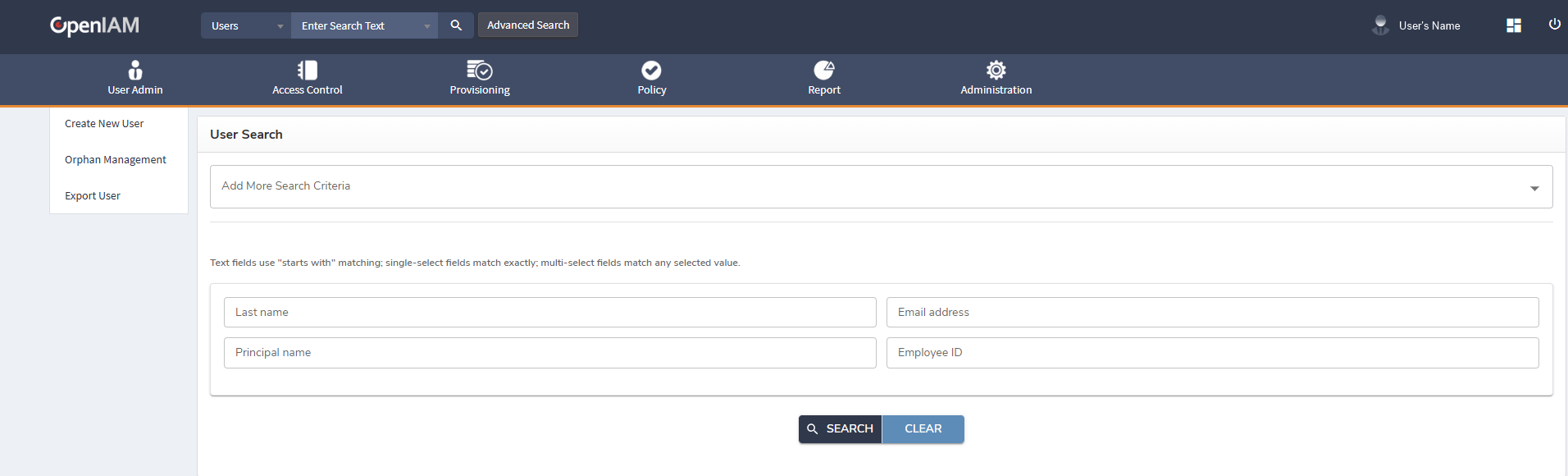
Sign in to OpenIAM as usual, then open the Webconsole by typing `/webconsole` after the domain name in the browser's address bar.
{% endstep %}
{% step %}
### Create or open the content provider
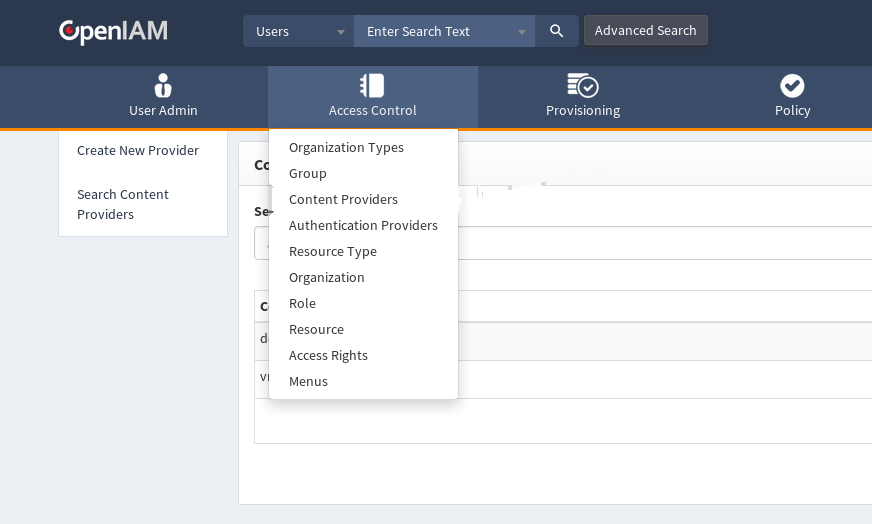
Go to **Access Control → Content Providers** (`/webconsole/contentProviders`). Create one if this host has none, or click **Edit** on the row for the host you are publishing.
Six fields on that screen decide everything the gateway does with this host. For a site published at `http://vm.openiam.com`:
| Field | What to set |
| -------------------------------------- | --------------------------------------------------------------------------------------------------------------------------------------------------------------------------------------------------------------------------------------------------- |
| **Authentication Provider** | The provider that authenticates this site. The drop-down opens on **Select an Authentication Provider** and the field is required. This choice is load-bearing beyond sign-in: it also names the managed system that form fill reads passwords from |
| **Content Provider Name** | `Legacy reporting` — any name unique across providers. It is what the URI-pattern screens title themselves with |
| **Domain Pattern** | `vm.openiam.com` — the hostname users type, with no scheme and no path. Its tooltip reads *"The domain pattern of your application"* |
| **Authentication Cookie Name** | `OPENIAM_AUTH_TOKEN` unless you have a reason. It must match what the proxy is configured to read, or sign-in loops |
| **Authentication Cookie Domain** | The domain the session cookie is scoped to. Too wide leaks the session to hosts that should not have it; too narrow breaks SSO between two hosts that should share it |
| **Does this application support SSL?** | Set it to **Yes** or **No** explicitly rather than leaving it blank. Blank means "either scheme", which collides with any future provider on the same host |
Two providers cannot claim the same host with the same SSL setting: the save fails with *"Content Provider with this Domain Pattern and Is SSL fields already exists"*. Every remaining field on this screen is listed in [Content providers and URI patterns](/administration-guide/access/content-providers-and-uri-patterns.md).
Save, then reopen the provider and read the values back. A content provider that saved but does not resolve is almost always a **Domain Pattern** that is not exactly the `Host` header the browser sends.
{% endstep %}
{% step %}
### Run Add Default Patterns, before you create anything of your own
On the content provider, click **Add Default Patterns**. It applies a shipped set of **214** URI patterns covering every OpenIAM path the platform needs, and you can read every one of them afterwards under **URI Patterns** — do that once, because the set is the clearest available statement of which OpenIAM paths must stay public.
It seeds `/selfservice/*` public and cacheable, `/webconsole/*` and `/idp/*` restricted, every OAuth, SAML, one-time-password and password-reset endpoint the IdP needs, and a set of genuinely anonymous paths bound to **Def. None Auth Rule** (`DEF_NONE_AUTH_RULE`) — `/idp/401`, `/idp/404`, `/webconsole/401`, `/webconsole/404`, `/selfservice/selfRegistration`, `/idp/oauth2/.well-known/openid-configuration`, and the three actuator health paths `/idp/actuator/health`, `/selfservice/actuator/health` and `/webconsole/actuator/health`.
{% hint style="warning" %}
Skipping this step and protecting `/idp/*` without also making the 401, 404 and health paths public is a lockout path: the login page redirects to an error page that itself requires authentication.
{% endhint %}
{% endstep %}
{% step %}
### Create the URI pattern for the application
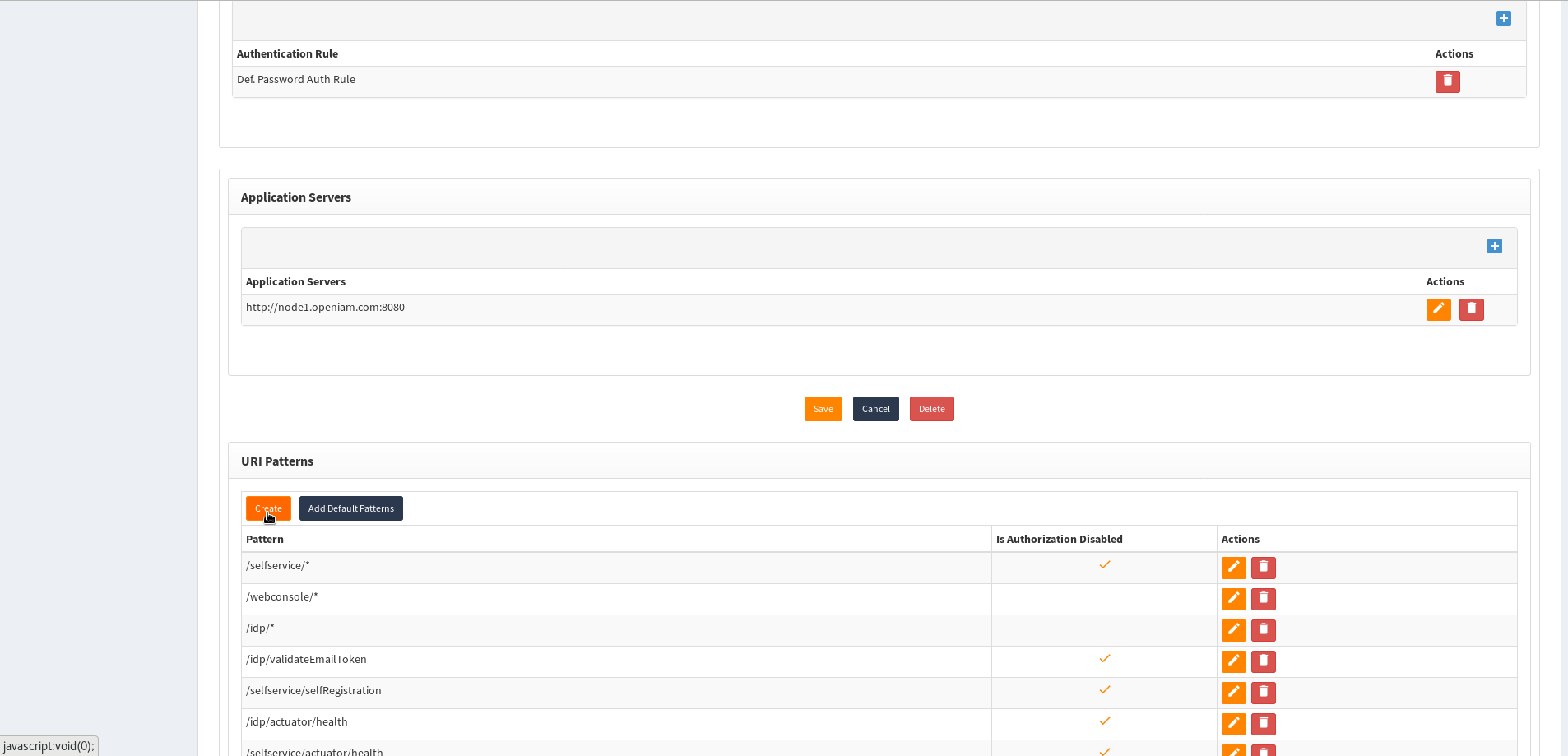
Scroll down to **URI Patterns**, create a pattern, and click **Create**. New patterns are created at `/webconsole/newProviderPattern?providerId=` and edited at `/webconsole/editProviderPattern?id=&providerId=`.
For this example the pattern is `/*`.
`/*` handles every URI on this content provider *except* those that have a pattern of their own. That exception is the whole reason it is safe: `/webconsole/*`, `/idp/*` and the rest of the patterns you just seeded are more specific, so they keep their own authentication rules and their own upstream, and `/*` picks up only what is left over. **Run Add Default Patterns before you create `/*`, not after** — without those patterns in place, a `/*` pointed at a legacy application swallows the Webconsole and the IdP along with everything else.
If the application lives under a path rather than at the root, use that path instead — `/app/*` — and leave `/*` alone.
Leave **Match Mode** on `IGNORE` unless you specifically need the query string to take part in matching, and leave **Is Authorization Deactivated** clear: ticking it makes the pattern public.
{% endstep %}
{% step %}
### Point the pattern at the application server
Still on the pattern, scroll down to **Application Servers** and click the plus button.
In the dialog, enter the server domain **including the scheme** — `http://www.example.org`, not `www.example.org`. A missing scheme is one of the commoner reasons a pattern that looks entirely correct proxies nothing at all.
A pattern with no servers of its own inherits the content provider's list, which the screen states as *"Server URLs will be inherited from the Content Provider."* Add two or more and traffic is distributed round-robin across them, which the content-provider screen also says in as many words: *"At least one application server is required. A round-robin algorithm will be used to distribute traffic across servers."*
{% endstep %}
{% step %}
### Entitle the population that may use it
Each URI pattern owns a resource. Entitle the roles or groups that may use the application on that resource. Without an entitlement an authenticated user reaches the gateway and is refused with the `401` error page rather than the application — which is a working gateway, not a broken one.
{% endstep %}
{% step %}
### Wait out the cache, then request a real URL
Wait about **five minutes** for the content-provider cache to refresh — that is `org.openiam.content.provider.threadsweep`, `300000` ms — and then request a URL the new pattern will handle. Here that is `http://vm.openiam.com/test.html`: `/test.html` matches `/*` because no more specific default pattern claims it.
{% endstep %}
{% endstepper %}
## Verification
| Check | Where | What good looks like |
| ------------------------------------------- | ------------------------------------------------------------------- | ------------------------------------------------------------- |
| The host resolves to your content provider | Request any URL on the host in a browser with no session | You are sent to the sign-in page, not to `/webconsole/setup` |
| The URL resolves to the pattern you created | **Federate URI Debug Tool**, `/webconsole-am/federateURIDebug.html` | It names your pattern, not a broader one |
| The upstream is reached | Request the proxied URL as an entitled user | The application's own page, served from your gateway hostname |
| Entitlement is actually being enforced | Request the same URL as a user with no entitlement | The `401` error page, not the application |
## When it goes wrong
| Symptom | Cause | Fix |
| ------------------------------------------------- | ----------------------------------------------------------------- | ---------------------------------------------------------------------------------------------------- |
| Redirected to `/webconsole/setup` forever | No content provider matched the request's `Host` header | Correct **Domain Pattern** — it must equal the hostname the browser sends, not a container name |
| The `401` error page instead of the application | The pattern is working and authorization is refusing you | Entitle your user or role on the pattern's resource |
| `404` on the URL while the rest of the host works | No URI pattern matched that path | Widen or add the pattern; check it with the **Federate URI Debug Tool** |
| The pattern looks correct and proxies nothing | The **Server URL** was entered without a scheme | Re-enter it as `http://…` or `https://…` |
| Saved, and nothing changed | The content-provider cache has not swept | Wait out `org.openiam.content.provider.threadsweep` (300 s) before concluding anything |
| Links on the proxied page leave the gateway | The application emits absolute URLs pointing at its real hostname | [URL rewriting](/administration-guide/gateway/request-and-response-transformations.md#url-rewriting) |
Anything not in that table is in [Troubleshoot the Access Gateway](/administration-guide/gateway/troubleshoot-the-gateway.md).
## Roll it back
Deleting a content provider or a URI pattern removes authorization for everything under it, and the change takes several minutes to propagate — so the rollback has the same five-minute blast radius as the mistake. Capture the current content provider and its patterns before editing, per [Change configuration safely](/administration-guide/start/change-safely.md).
If you have locked yourself out of the Webconsole entirely, the way back is the bootstrap path to `/webconsole/setup`, which is a proxy-side setting: ask the deployment owner to re-open it — see the [Installation Guide](/installation/installation.md).
## Demand a different authentication on one URL
Most sites want one more thing here: the application as a whole behind a password, and one path inside it — the payment screen, the administrative console, the export that dumps every record — behind something stronger. That is a URI pattern with its own authentication rule.
An **authentication rule** is a named object listing the authentication steps a request must satisfy. What the rules contain and how a step-up is demanded and satisfied belong to [Step-up authentication](/administration-guide/security/step-up-authentication.md); only the binding is described here.
There are two places a rule can be attached, and they are not equals:
| Attached to | Section on screen | Applies to |
| -------------------- | ----------------------------------- | ----------------------------------------------------------- |
| The content provider | **Supported Authentication Rules** | Every pattern on that provider that has no rules of its own |
| A URI pattern | **Supported Authentication Levels** | That pattern only |
**A pattern with any rule of its own ignores the content provider's rules entirely.** This is replacement, not addition: OpenIAM looks at the pattern's rules, and only if that list is empty does it fall back to the provider's. A pattern whose rule list is empty says so on screen — *"The authentication grouping from the parent content provider will be used"*.
{% stepper %}
{% step %}
### Create a pattern for the path you are protecting
The rule binds to a pattern, so the path needs one of its own. If `/app/*` currently covers everything, add `/app/admin/*` beside it — the more specific pattern wins the match, so the rest of the application keeps behaving exactly as it did.
Add it, save, and confirm the new pattern actually matches before you attach anything to it. A rule attached to a pattern that never matches does nothing, silently.
{% endstep %}
{% step %}
### Attach the rule
Open the new pattern, scroll to **Supported Authentication Levels**, and click **Add**. The dialog is titled **Select an Authentication Rule** and the single field is **Authentication Rule** — a drop-down of the rules defined on the system, listed by name. The shipped set includes **Def. Password Auth Rule**, **Def. TOTP Auth Rule**, **Def. Sms Auth Rule**, **Def. Kerberos Auth Rule**, **Def. Certificate Auth Rule**, **Def. OAuth Auth Rule**, **Def. Email Auth Rule**, **Def. Push Auth Rule**, **Def. None Auth Rule**, **Any authentication** and **Def. stepup auth**; installations usually add their own. Manage them at `/webconsole/authentication-rule-list`.
Rules already attached are greyed out in the drop-down, so you cannot add the same one twice. You can add several, and you order them by dragging the rows — the order is stored with the binding and used when the rules are evaluated, so it is not cosmetic.
**Def. None Auth Rule** is the special case worth recognising: a pattern carrying it is an open URL, reachable with no authentication at all. That is how the shipped defaults keep the login page and the error pages reachable, and it is what to check first if a path you thought was protected is not.
{% endstep %}
{% step %}
### Save, wait out the cache, and test from a second browser
Save and let the change propagate. Then test in a browser with no OpenIAM session — a private window, or a different browser entirely, never the one you are administering from.
Request a URL under `/app/admin/`. A request that does not satisfy the rule is never proxied: OpenIAM returns an unauthorized decision, and the gateway turns that into a redirect to the sign-in page when there is no session at all, or into the `401` error page when there is a session that does not qualify.
Then request a URL under `/app/` that the old pattern still covers, and confirm it behaves exactly as it did before. That second check is the one people skip, and it is the one that catches a pattern accidentally widened.
{% endstep %}
{% endstepper %}
{% hint style="danger" %}
**Test it without locking yourself out.** Attach the rule to a **new, narrow** pattern rather than to an existing broad one, so the blast radius is one path — and never to a pattern covering `/webconsole/*`, which is the tool you would need to undo the change. Keep a second browser session, signed in as a break-glass administrator whose route does not depend on the pattern you are touching, open and confirmed working *before* you save. Adding the rule at content-provider level instead changes authentication for every URL on the host, which the Webconsole warns about in as many words: *"Are you sure you want to add a new authentication rule to this content provider? This may affect your installation. Proceed only if you understand the impact, or apply changes only to the required URI patterns."*
{% endhint %}
## Related
* [How the Access Gateway works](/administration-guide/gateway/access-gateway.md) — the model this procedure implements
* [Advanced request and response transformations](/administration-guide/gateway/request-and-response-transformations.md) — header injection, form fill, URL rewriting and branding
* [Content providers and URI patterns](/administration-guide/access/content-providers-and-uri-patterns.md) — every field on both screens
* [Troubleshoot the Access Gateway](/administration-guide/gateway/troubleshoot-the-gateway.md) — when a request does not arrive
*Applies to OpenIAM 2026.8.1. Last reviewed 7 August 2026.*
---
# Agent Instructions
This documentation is published with GitBook. GitBook is the documentation platform designed so that both humans and AI agents can read, navigate, and reason over technical content effectively. Learn more at gitbook.com.
## Querying This Documentation
If you need additional information that is not directly available in this page, you can query the documentation by asking a question.
Perform an HTTP GET request on the following URL with the `ask` and `goal` query parameters:
```
GET https://docs.openiam.com/administration-guide/gateway/protect-an-application.md?ask=&goal=
```
`ask` is the immediate question: it should be specific, self-contained, and written in natural language.
`goal` is what the user is ultimately trying to achieve, the reason they need the answer. Sharing it helps GitBook give you a better, more relevant answer. A goal is most helpful when it describes the outcome the user wants rather than restating the question. For example, with `ask=how do I create an API token`, a goal like `automate deployments from our CI pipeline` lets GitBook tailor the answer to that use case.
The response will contain a direct answer to the question and relevant excerpts and sources from the documentation.
Use this mechanism when the answer is not explicitly present in the current page, you need clarification or additional context, or you want to retrieve related documentation sections.